Check MDB compatibility
Confirm machine model, MDB wiring, and existing payment module behavior.
MDB cashless retrofit
Use QuLink when existing MDB vending machines need cashless payment, QR scan-to-pay, wallet callback, vend authorization, and event upload without replacing the whole machine.
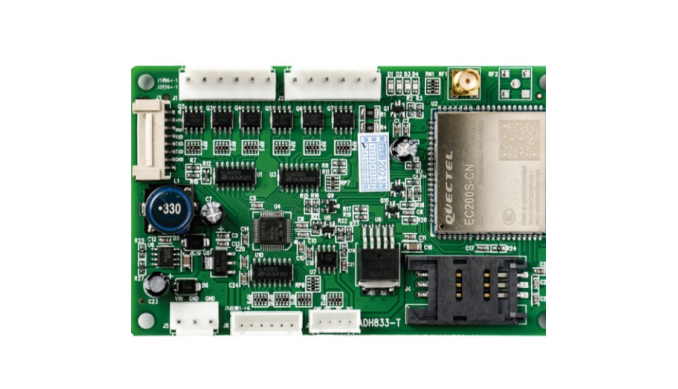
Project fit
Integration model
QuLink bridges payment approval and MDB vend behavior, then reports vend result and machine events to your backend.
Workflow
Confirm machine model, MDB wiring, and existing payment module behavior.
Define wallet/QR/payment callback and vend authorization rules.
QuLink handles the machine-side vend action and timing.
Your backend receives vend result and fault/status events.
API example
The exact command fields depend on machine interface, firmware profile, and whether payment or your own app triggers the action.
POST /v1/devices/MDB-77/commands
{
  "command": "dispense",
  "source": "wallet_callback",
  "machine_action": {
    "interface": "mdb_cashless",
    "slot": "C03"
  }
}
Project RFQ
Send the MDB machine model, current payment module photo, target payment flow, vend behavior, and rollout quantity.
If you are unsure about the exact interface, send what you have. Photos often answer more than a long spec.
FAQ
Yes. The wallet or payment app can confirm payment and trigger QuLink through the API.
Yes. This page targets retrofit and cashless integration, while OEM controller projects can go deeper into firmware and board design.
Yes. Fleet rollout needs sample validation, interface confirmation, and deployment profile tuning.
Related use cases