Generate QR
Create a QR code for a device, product, relay channel, price rule, or timed session.
QR payment trigger board
Use QuLink when customers scan a QR code, payment is confirmed, and a real machine needs to start, unlock, dispense, pulse, or run for a timed session.
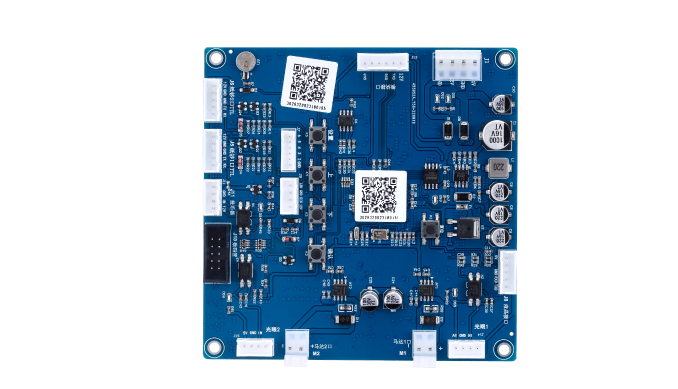
Project fit
Integration model
QuLink can provide the QR payment workflow, or you can keep your own checkout. Either way, payment confirmation becomes a signed machine command.
Workflow
Create a QR code for a device, product, relay channel, price rule, or timed session.
Use QuLink QR payment or send your own payment callback after the customer pays.
The board starts, unlocks, dispenses, pulses, or runs the machine.
Your server receives action result, telemetry, and session status.
API example
The exact command fields depend on machine interface, firmware profile, and whether payment or your own app triggers the action.
POST /v1/devices/LOCKER-22/commands
{
  "command": "unlock",
  "source": "qr_payment",
  "machine_action": {
    "type": "relay",
    "channel": 2,
    "duration_ms": 900
  }
}
Project RFQ
Send the machine type, price/session rule, payment provider, and the action that should happen after payment.
If you are unsure about the exact interface, send what you have. Photos often answer more than a long spec.
FAQ
No. QuLink is the machine-side control layer. QR payment is available when scan-to-start is needed.
Yes. Your system can confirm payment and call the QuLink command API.
Yes. QR can map to device ID, product, relay channel, price rule, or timed session depending on the project.
Related use cases