Machine operators
Retrofit existing machines with QR payment, remote start, telemetry, and fault reporting without rebuilding the full cabinet.
Who this helpsQR payment controller boards for unattended machines
QuLink supplies QR payment controller boards and API-ready control boards that connect MDB, pulse, relay, serial, RS485, and custom machine interfaces to your server. Your platform sends commands; QuLink handles the machine-side protocol, payment callback, data upload, and scan-to-start action.
Send the machine photo, current board photo, or coin/payment module photo. We will identify the interface and suggest a sample test path.
POST /v1/devices/VM-1049/commands
{
  "command": "trigger_relay",
  "source": "api_or_qr",
  "duration_ms": 800
}
Popular machine use cases
Choose the closest use case first. Each guide explains the machine interface, trigger workflow, data upload path, and what to send for a sample test.
 Vending QR payment
Scan-to-pay vending with API vend trigger and result upload.
Open guide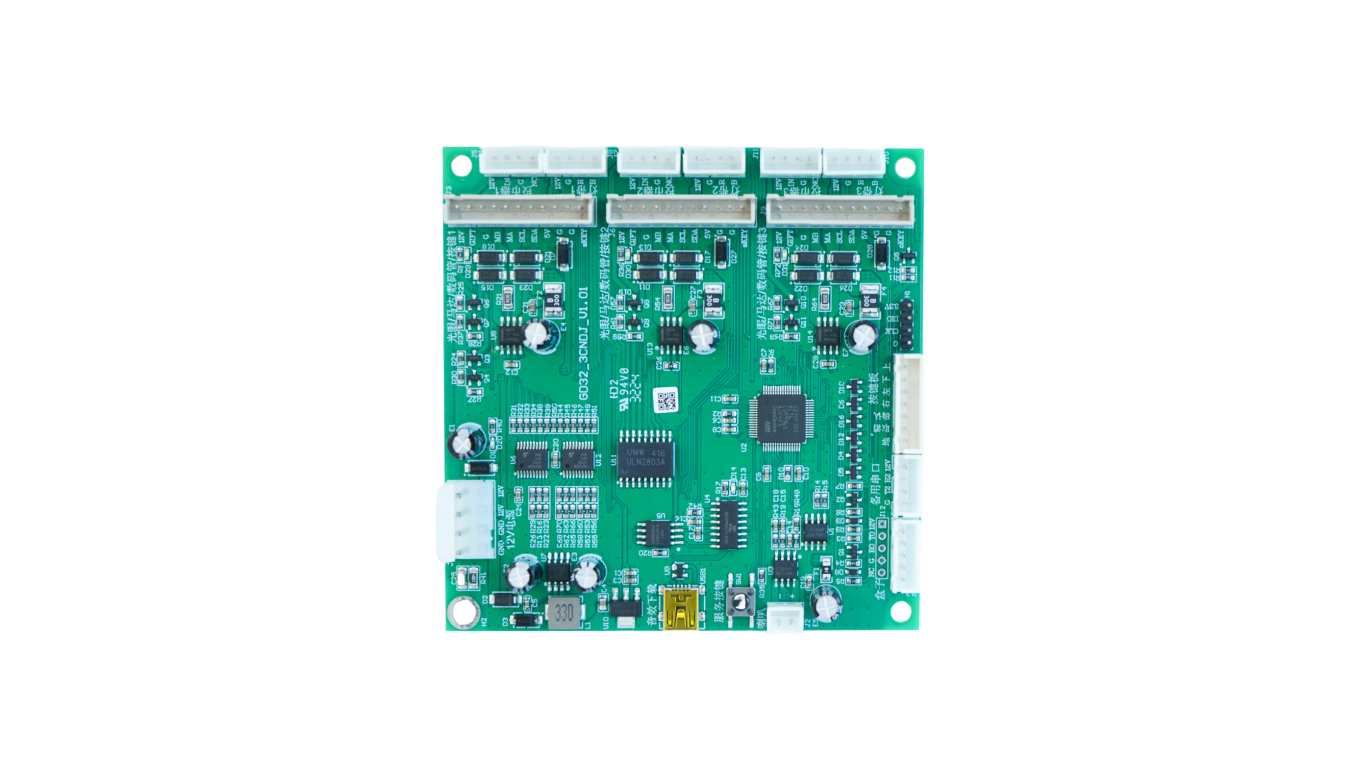 Laundry QR payment
Timed relay or pulse start for washers and dryers.
Open guide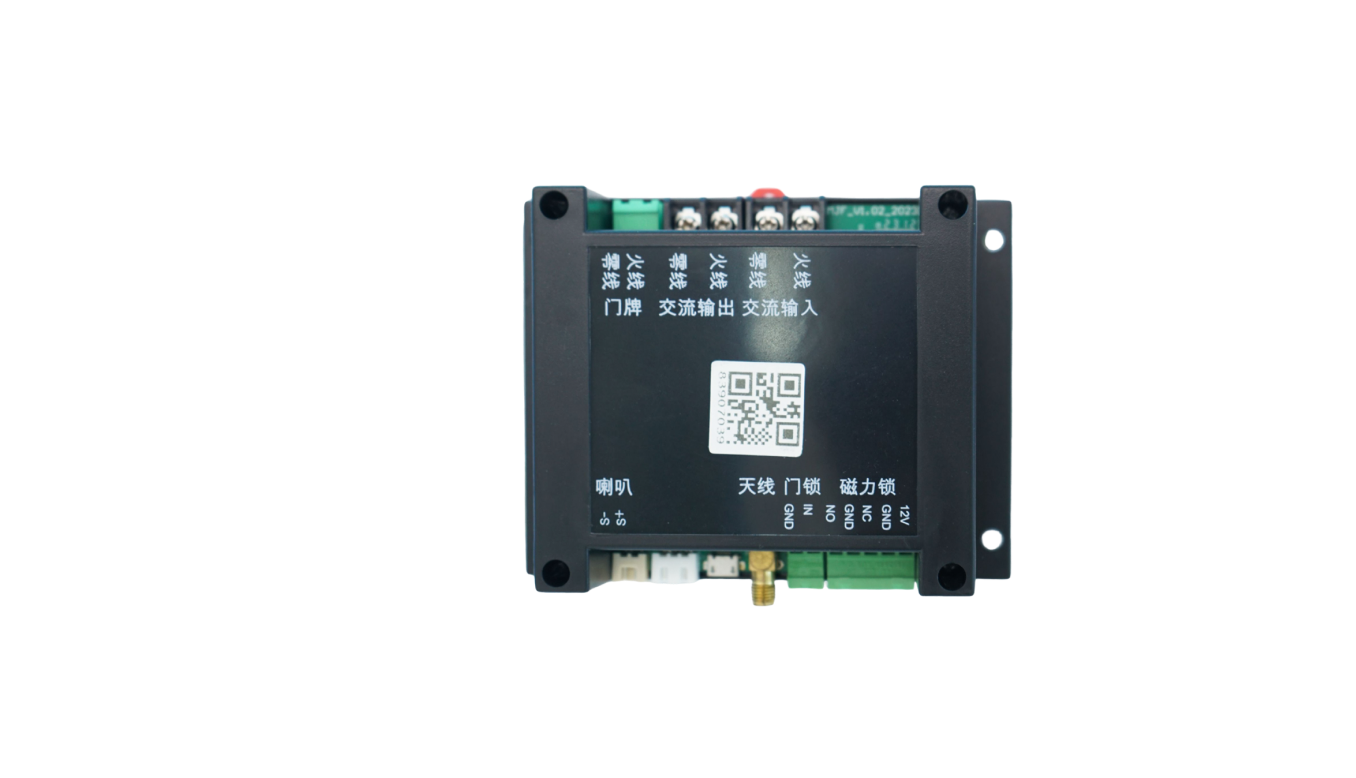 Smart locker unlock
API or QR-triggered relay unlock with door status upload.
Open guide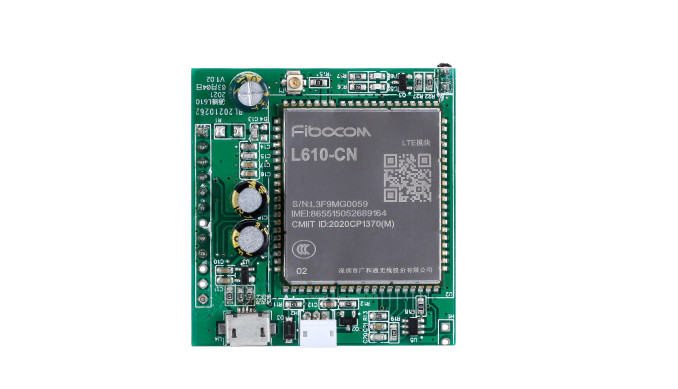 RS485 data upload
Telemetry, fault, meter, and serial data callbacks.
Open guide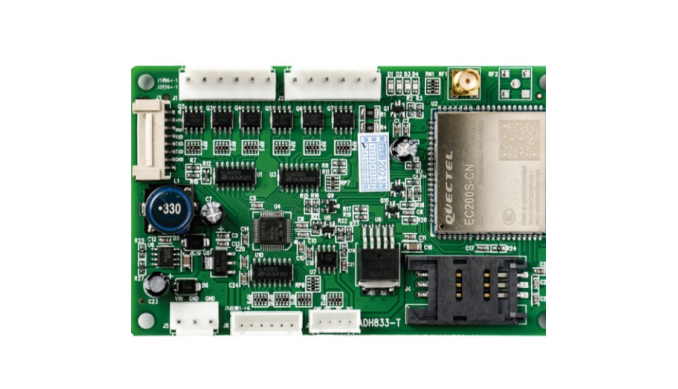 MDB cashless retrofit
Add QR or wallet callback to existing MDB vending machines.
Open guide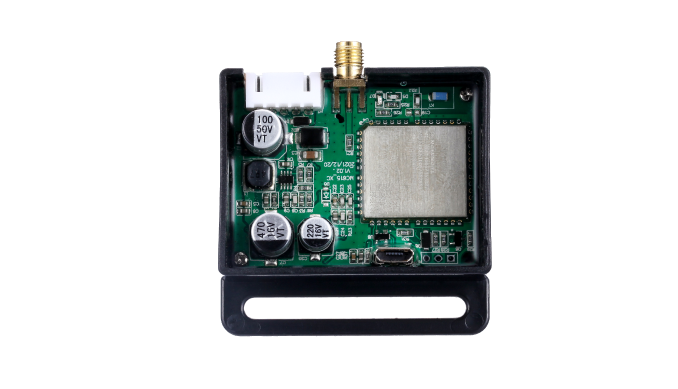 Massage chair payment
QR scan-to-start timed sessions for massage chairs.
Open guide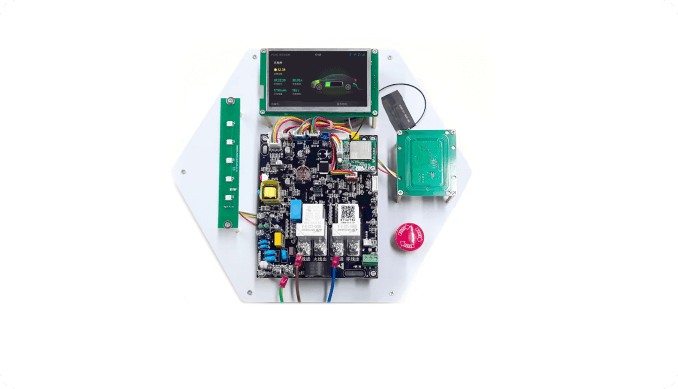 EV charging socket
Timed power sessions, relay control, and usage data.
Open guide
Kiddie ride pulse
Coin pulse replacement for rides and amusement devices.
Open guideDevice control hardware
Who this helps
QuLink is most useful when software, payment, or operations teams need a physical machine to react reliably after an API command or payment confirmation.
Retrofit existing machines with QR payment, remote start, telemetry, and fault reporting without rebuilding the full cabinet.
Who this helpsKeep the checkout and user flow in your platform; use QuLink for the machine-side trigger and result callback.
Who this helpsUse API commands, webhooks, and board-level interface mapping instead of rebuilding MDB, pulse, relay, or serial behavior.
Who this helpsMove from sample validation to firmware, connector, enclosure, and board customization for repeat deployment.
Who this helpsBoard selection
Most customers do not know the exact board model at first. Send the machine type, interface, wiring photo, or target action; QuLink will map it to a control board and API workflow.
Board examples
These board examples cover the machine-side jobs customers usually ask about: retail control, PLC vending, lift control, QR/API trigger, 4G data transmission, display/payment terminals, relay control, metering, charging, and lock control.
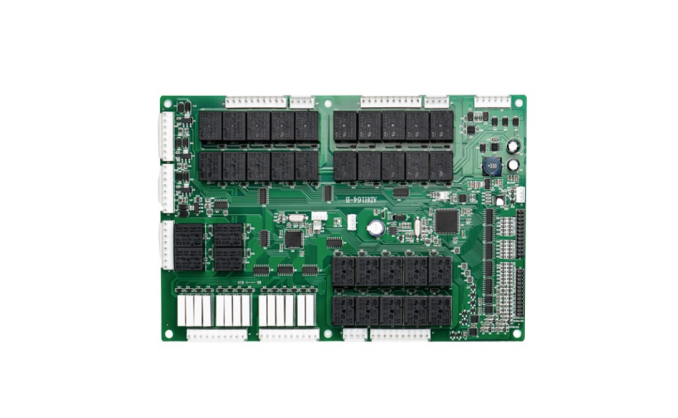
Vending and smart retail main control, multi-channel I/O, 4G connectivity, telemetry, and remote commands.
PLC vending control, relay outputs, motor/slot control, cabinet wiring, and API-driven operation.
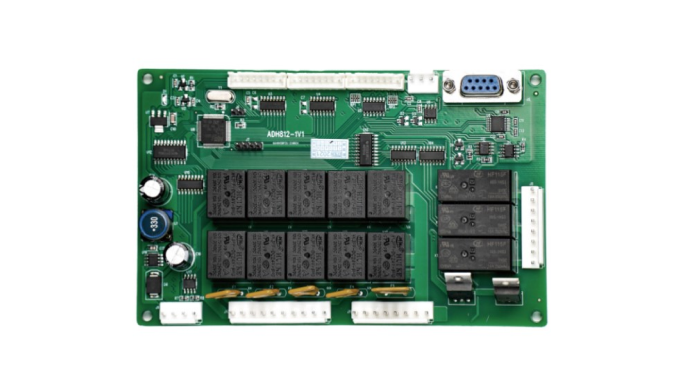
Lift cabinet control, elevator motor coordination, drop detection, serial/MDB integration, and vend result reporting.
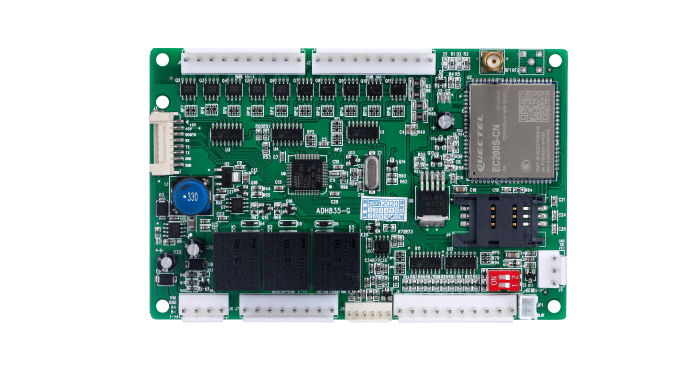
Retail cabinet controller with cellular module, SIM, multi-port wiring, machine status upload, and remote control.
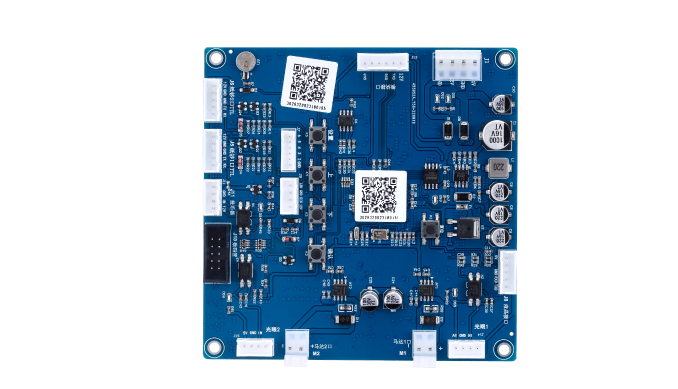
Scan-to-start and API command board for payment callback, relay trigger, timed run, unlock, or dispense actions.
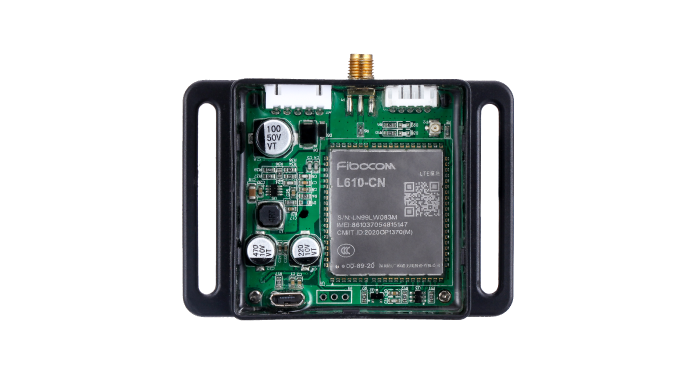
Compact cellular control box for remote equipment connection, data upload, OTA support, and field installation.
Small 4G controller for machine data transmission, remote command, and retrofit integration.
Cellular data module for connecting legacy machines to a server with telemetry and command callbacks.
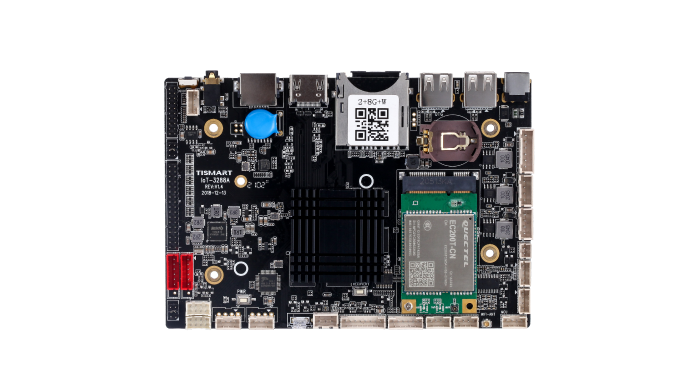
Display or smart cabinet main board for touch screens, QR workflows, media UI, and peripheral connections.
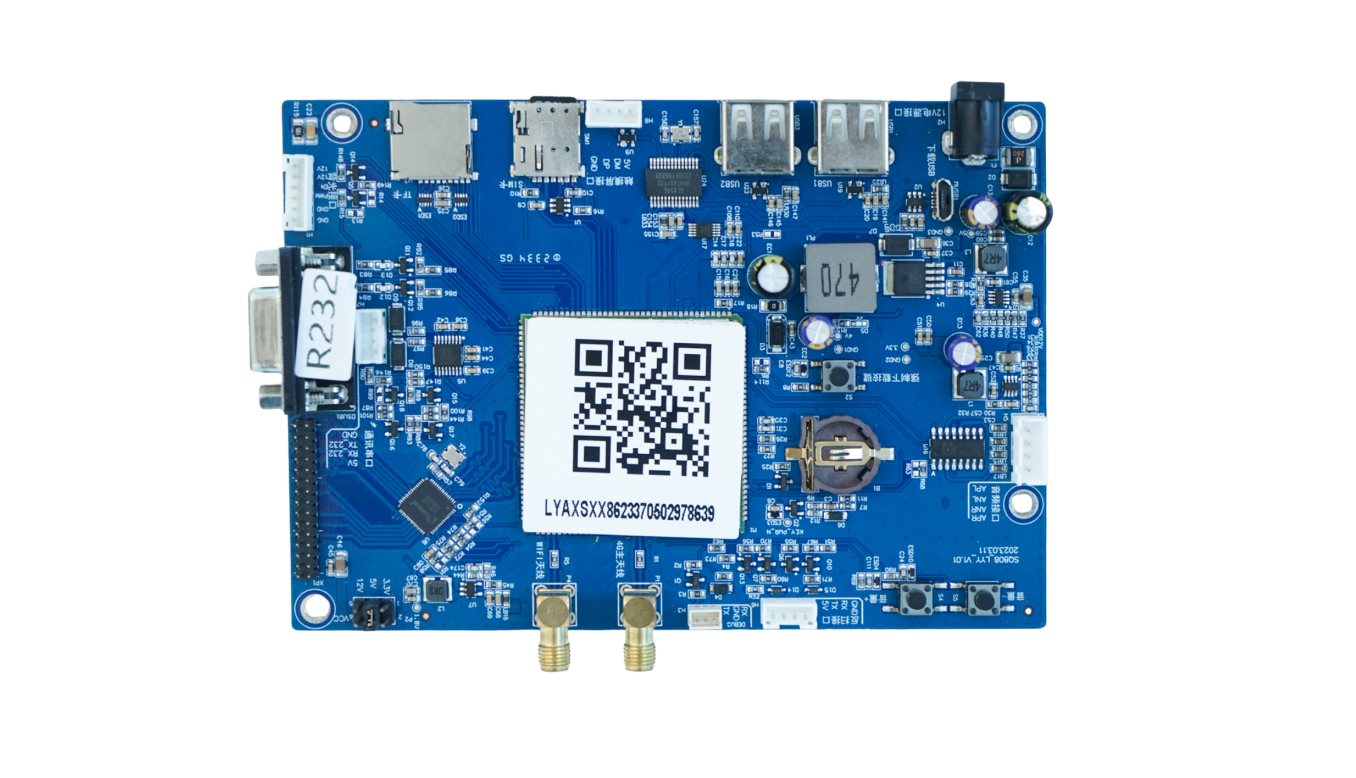
Screen payment terminal board with SIM, USB, serial, audio, and API connectivity for scan-to-start machines.
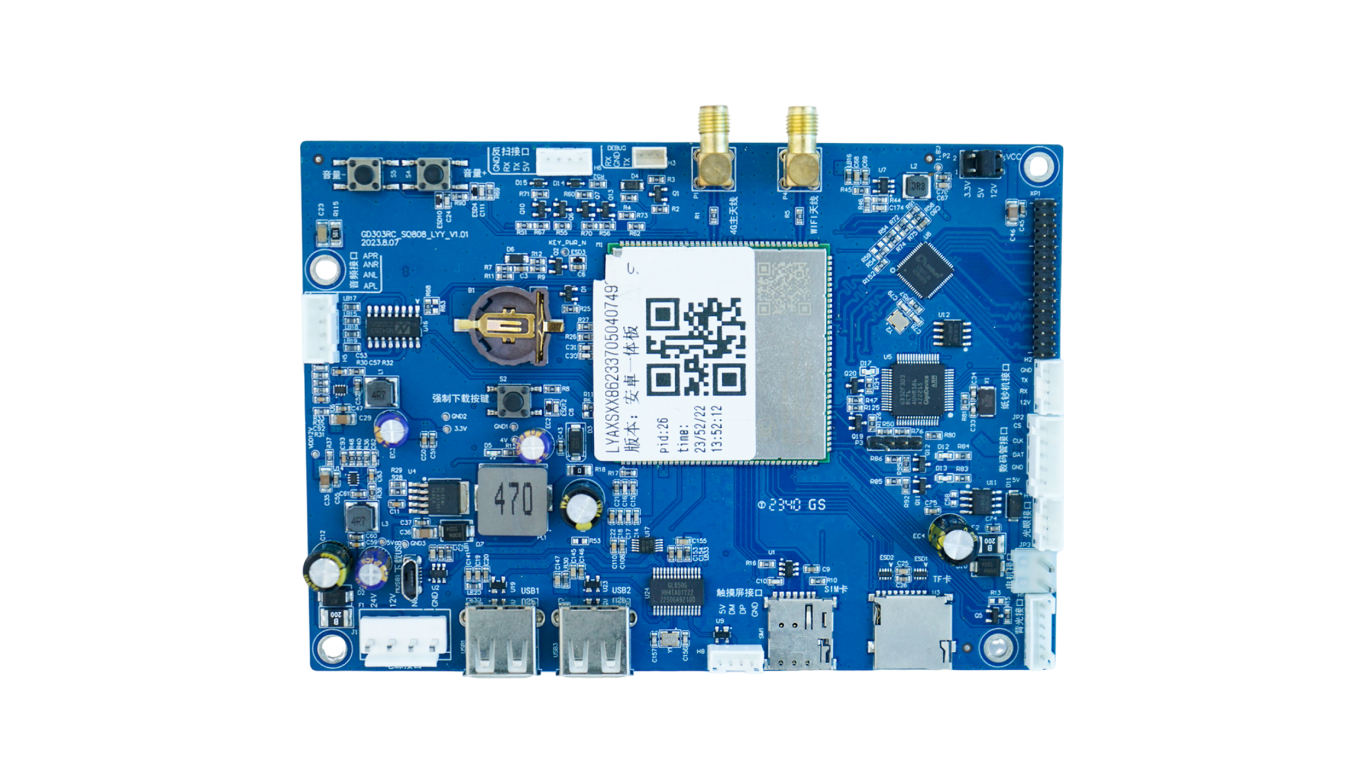
Another display-controller form factor for payment screens, interactive panels, and connected smart devices.
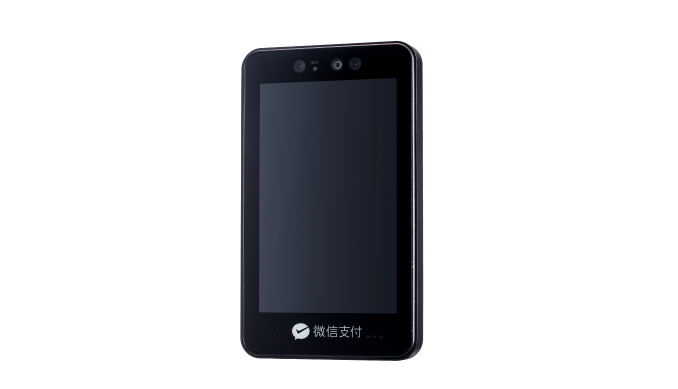
Terminal-style hardware for face recognition, screen payment, wallet login, or identity-based machine start workflows.
Lock, gate, access, room, locker, and timed relay control with QR/API command trigger.
Water, laundry, charging, sensor input, metering, relay output, and equipment-state reporting.
Charging and payment controller kit for display, card/QR module, relay output, and usage session control.
Machine coverage
Use the real board examples above as building blocks. QuLink maps them to the control, connectivity, data upload, and payment-trigger layer for common unattended machines. AI vision, RFID parking, or highly specialized controllers should be evaluated as OEM projects.
Screen and no-screen vending boards, MDB equipment, PLC vending boards, lift controllers, drop sensors, and smart cabinet control.
MDB gateway / OEM controller
QR payment screens, payment boxes, card terminals, and scan-to-start controllers that need a payment callback to trigger the machine.
QR/API trigger board
Kiddie rides, amusement machines, massage chairs, laundry, car wash, charging sockets, table rooms, and timed relay devices.
Pulse / relay controller
Status, fault alerts, usage logs, vend results, telemetry, video/result events, and cloud callback data.
Machine data bridge
Water control, liquid dispenser boards, e-bike charging, power metering, time billing, and full-stop charging logic.
OEM control board
Face recognition, AI cabinet vision, RFID parking, BLE beacons, and advanced sensing modules.
OEM integrationControl workflow
QuLink sits between your server and the machine interface. Your system sends a command, the board translates it into MDB, pulse, relay, or serial control, then reports the machine result back.
Select the machine by device ID, route, cabinet, slot, relay channel, or timed session.
Your server sends a signed command such as start_session, trigger_relay, unlock, dispense, stop, or query_status.
The QuLink board translates the command into MDB, pulse, relay, serial, unlock, or timed-run action.
The board returns online status, command result, telemetry, fault alerts, vend result, or session data to your cloud.
QuLink QR payment
QuLink can provide the QR payment workflow as an add-on. After payment is confirmed, QuLink turns the payment event into the same machine control command.
Create a QR code for a machine, product, price rule, relay channel, or timed session.
Use QuLink QR payment, or connect your own wallet/provider callback when you already have a payment stack.
After confirmation, QuLink starts, unlocks, dispenses, pulses, or runs the machine and reports the result.
How projects start
You do not need a perfect technical brief on day one. Share what the machine should do, send, or report; QuLink can help identify the interface and next test step.
Machine model, board photo, wiring photo, coin/payment module, or target action is enough to begin.
We check whether it is MDB, pulse, relay, serial, RS485, QR trigger, data upload, or a custom OEM case.
Connect a sample board, confirm command/API behavior, verify machine action and data callback.
Adjust firmware, connector, enclosure, QR payment, or OEM board design for repeat deployment.
Machine categories
MDB vend, QR vend, telemetry, inventory event, drop result.
Pulse simulation, timed play, token replacement, session start.
Timed relay, cycle start, QuLink QR payment or app callback, machine state event.
Unlock, rent, return, charge session, device online/offline, data upload.
Use-case guides
Start with the featured guides below. Each page explains the machine interface, payment trigger, data upload path, and what to send for a sample test.
A practical path for adding QR payment to vending machines using a machine-side controller, payment callback, vend trigger, and result upload.
Read guideConnect MDB vending machines to your backend with API vend commands, payment callbacks, telemetry, and MDB event upload.
Read guideConnect vending machines to QR payment, API commands, vend triggers, telemetry, and server callbacks without rebuilding the whole vending controller.
Read guideQR payment and API control board for laundry machines, timed relay start, pulse simulation, session status, and machine data upload.
Read guideTurn payment approval from your wallet, app, checkout, or backend into a physical machine action with QuLink control boards.
Read guideUpload self-service machine telemetry, faults, usage logs, vend results, meter values, and session events to your own cloud.
Read guideFull guide library
Browse every use-case page for MDB, QR payment, pulse/relay, data upload, and OEM integration projects.
Connect MDB vending machines to your server with an API-ready gateway for vend commands, telemetry, QR payment triggers, and machine events.
Read guideQuLink QR payment controller boards turn payment confirmation into relay, pulse, serial, unlock, dispense, or timed machine actions.
Read guideAPI-ready pulse relay controllers for laundry, amusement, massage chairs, car wash, charging sockets, and other timed self-service machines.
Read guideUpload machine status, telemetry, sensor values, fault alerts, usage logs, vend results, and session events from self-service equipment to your server.
Read guideOEM control board customization for unattended machines: firmware, connector, enclosure, QR payment, API commands, data upload, and production rollout.
Read guideConnect vending machines to QR payment, API commands, vend triggers, telemetry, and server callbacks without rebuilding the whole vending controller.
Read guideQR payment and API control board for laundry machines, timed relay start, pulse simulation, session status, and machine data upload.
Read guidePayment and API trigger controller board for massage chairs, timed relay sessions, QR scan-to-start, and session result callbacks.
Read guideAPI and QR payment controller for kiddie rides, amusement machines, coin pulse simulation, relay output, timed run, and session callbacks.
Read guideRelay unlock controller board for smart lockers, cabinets, access doors, QR payment, API unlock commands, and door status upload.
Read guidePayment and API control board for charging sockets, timed power output, metering, QR payment, relay control, and session data upload.
Read guideRS485 and serial machine data upload board for telemetry, fault alerts, metering values, usage logs, and webhook callbacks to your server.
Read guideMDB cashless vending retrofit board for QR payment, wallet callback, API vend command, telemetry, and machine event upload.
Read guideA practical path for adding QR payment to vending machines using a machine-side controller, payment callback, vend trigger, and result upload.
Read guideConnect MDB vending machines to your backend with API vend commands, payment callbacks, telemetry, and MDB event upload.
Read guideRetrofit coin-operated washers and dryers with QR payment, pulse or relay start, timed sessions, and session callbacks.
Read guideUse a relay or pulse controller to retrofit coin-operated machines for QR payment, API start, timed sessions, and data callbacks.
Read guideTurn payment approval from your wallet, app, checkout, or backend into a physical machine action with QuLink control boards.
Read guideUpload self-service machine telemetry, faults, usage logs, vend results, meter values, and session events to your own cloud.
Read guideUse a QuLink controller board to turn DuitNow QR or wallet payment approval into vending, relay, pulse, or machine start actions.
Read guideConnect UPI QR payment approval to vending machine vend commands, relay outputs, pulse starts, telemetry, and result callbacks.
Read guideMachine-side hardware for QRIS vending payment projects: payment callback to vend trigger, relay output, telemetry, and result upload.
Read guideUse QuLink hardware to connect PromptPay QR payment approval to vending, relay, pulse, unlock, or timed machine actions.
Read guideCompare MDB and pulse retrofit paths for vending machine QR payment, payment callbacks, vend triggers, and machine result upload.
Read guideCompare static QR and dynamic QR payment flows for vending, laundry, lockers, payment boxes, and other scan-to-start machines.
Read guideDeveloper API
Your software team should not need to rebuild MDB timing, pulse width, relay duration, serial frames, telemetry upload, or vend-result handling from scratch.
start_session, trigger_relay, dispense, unlock, stop, query_status
device.online, command.accepted, telemetry.updated, machine.fault, vend.result, session.completed
POST /v1/devices/{device_id}/commands
{
  "command": "start_session",
  "source": "api_command",
  "machine_action": {
    "type": "relay",
    "duration_ms": 800
  },
  "reference_id": "CMD-2026-10492"
}
POST /webhooks/qulink
{
  "event": "payment.confirmed",
  "device_id": "VM-1049",
  "action": "trigger_relay",
  "telemetry": {
    "online": true,
    "last_result": "session_started"
  }
}
Technical FAQ
Yes. QuLink can provide QR payment workflows for scan-to-start machines. Customers can also connect their own payment provider, wallet, app, or server callback.
Yes. QuLink boards can upload status, telemetry, vend results, fault alerts, sensor values, and operation logs to your server.
QuLink supports MDB, pulse, relay, UART, serial, RS485, QuLink QR payment workflows, and custom OEM board interfaces.
System integrators, machine operators, payment apps, wallet providers, and machine OEMs that want hardware connected to their own backend.
Project RFQ
A machine photo, board photo, or wiring photo is enough to start. We can confirm the machine interface, API workflow, data upload, QR payment or your own payment callback, and sample path in the next step.
If you are unsure about the exact interface, send what you have. Photos often answer more than a long spec.