Identify vending interface
Confirm MDB, cabinet controller, relay, serial, or custom board wiring.
Vending QR payment
Use QuLink when a vending machine needs scan-to-pay, payment confirmation, vend command output, and vend result upload to your own server.
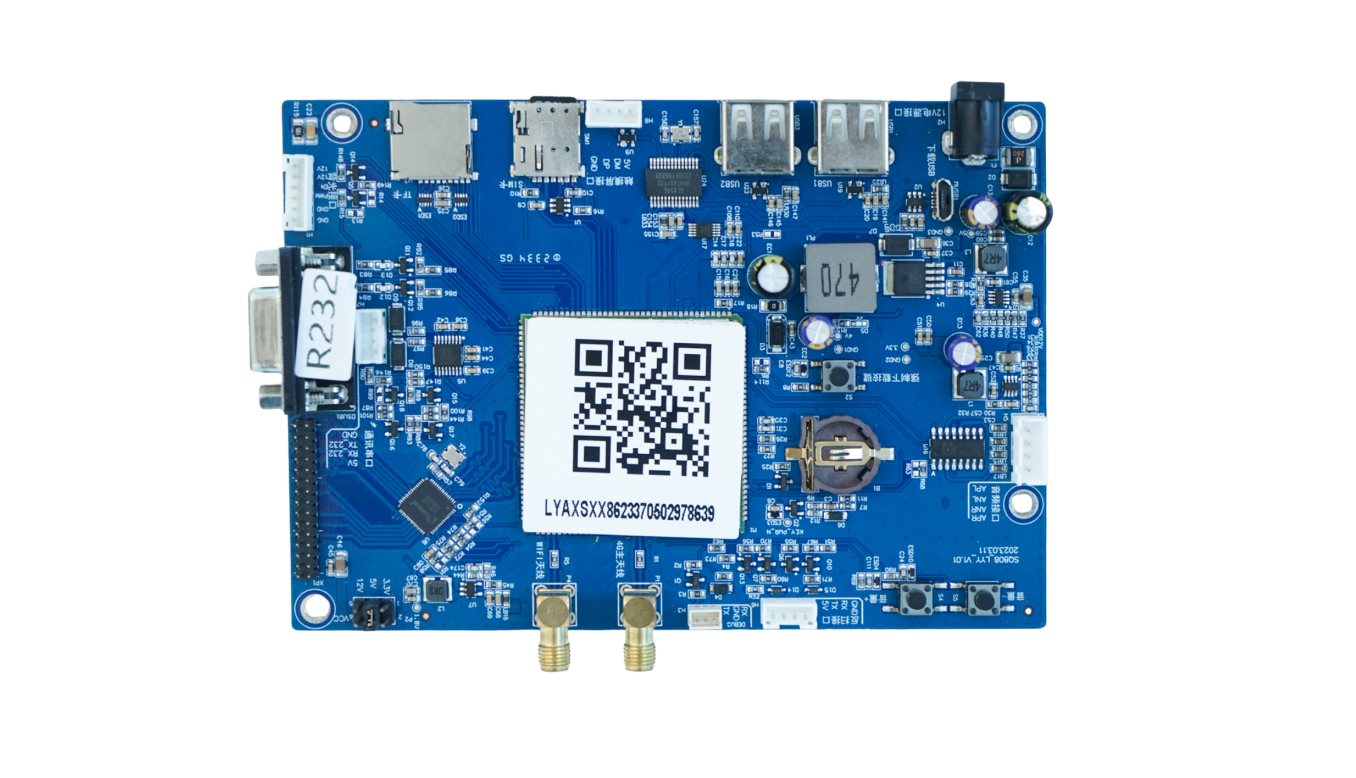
Project fit
Integration model
QuLink maps a QR payment or server approval to a machine-side vend command, relay output, MDB action, or custom controller workflow.
Workflow
Confirm MDB, cabinet controller, relay, serial, or custom board wiring.
Define QR code, product slot, price rule, payment reference, and timeout behavior.
QuLink sends the vend action after payment or server approval.
Your server receives vend success, failure, status, and telemetry events.
API example
The exact command fields depend on machine interface, firmware profile, and whether payment or your own app triggers the action.
POST /v1/devices/VEND-208/commands
{
  "command": "dispense",
  "source": "qr_payment",
  "machine_action": {
    "interface": "vending",
    "slot": "B12"
  },
  "reference_id": "QR-ORDER-208"
}
Project RFQ
Send the vending machine model, current payment board photo, vend interface, target country, and whether QuLink QR payment or your own callback should be used.
If you are unsure about the exact interface, send what you have. Photos often answer more than a long spec.
FAQ
Often yes. The first step is checking whether the machine can accept MDB, relay, serial, or cabinet-controller commands.
Yes. Your checkout can approve payment and call the QuLink command API.
Yes. The project can include vend success, failure, online status, and fault upload.
Related use cases