Machine operators
Retrofit existing machines with QR payment, remote start, telemetry, and fault reporting without rebuilding the full cabinet.
Who this helpsLapisan hardware kontrol untuk mesin tanpa operator
QuLink mengubah mesin MDB, pulsa, relay, dan serial menjadi perangkat yang terhubung API. Kirim perintah, kumpulkan data mesin, dan gunakan QuLink QR payment untuk scan-to-start.
Kirim foto mesin, foto papan saat ini, atau modul koin/pembayaran. Kami bantu identifikasi interface dan langkah uji sampel.
POST /v1/devices/VM-1049/commands
{
  "command": "trigger_relay",
  "source": "api_or_qr",
  "duration_ms": 800
}
Use case mesin populer
Pilih use case terdekat. Setiap panduan (Bahasa Inggris) menjelaskan interface, alur trigger, upload data, dan apa yang perlu dikirim untuk uji sampel.
 QR payment vending
Scan-to-pay vending dengan API vend trigger dan upload hasil.
Buka panduan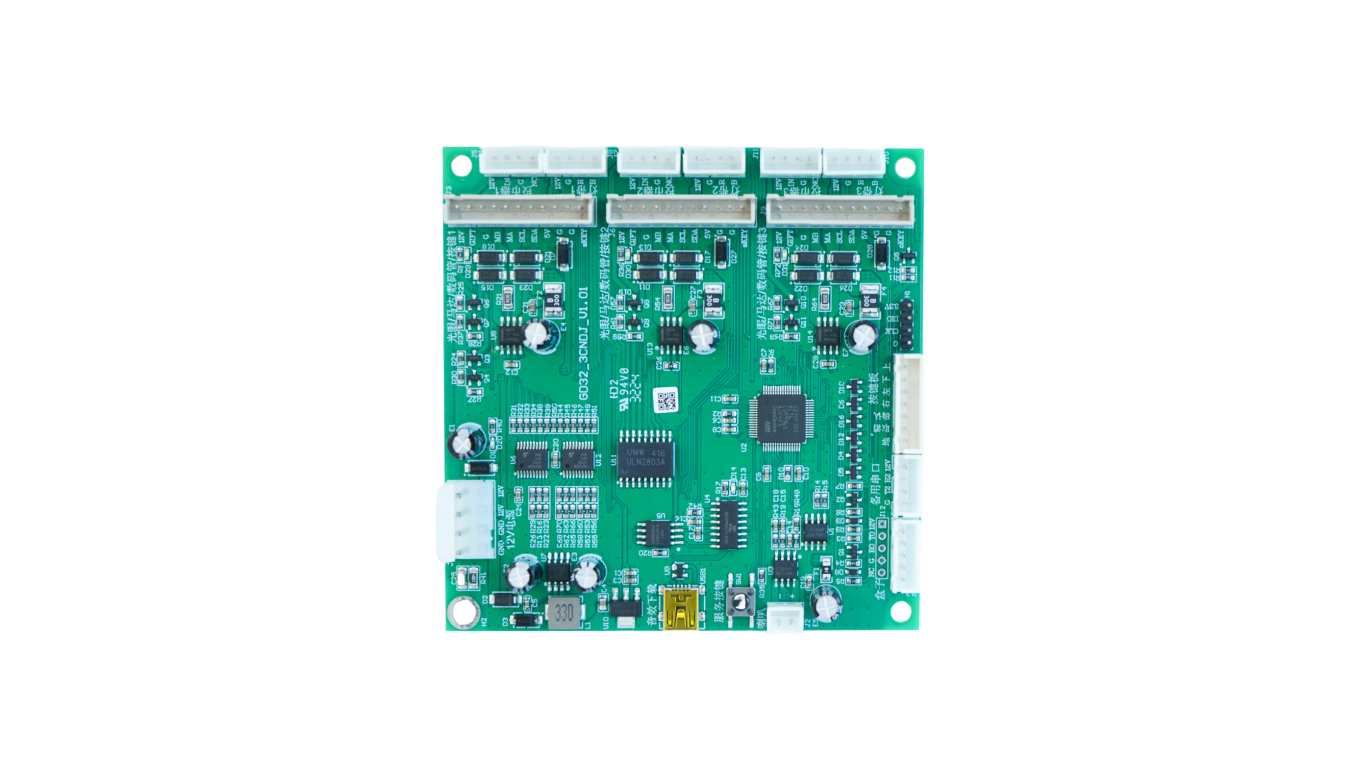 QR payment laundry
Relay atau pulse timed start untuk mesin cuci/pengering.
Buka panduan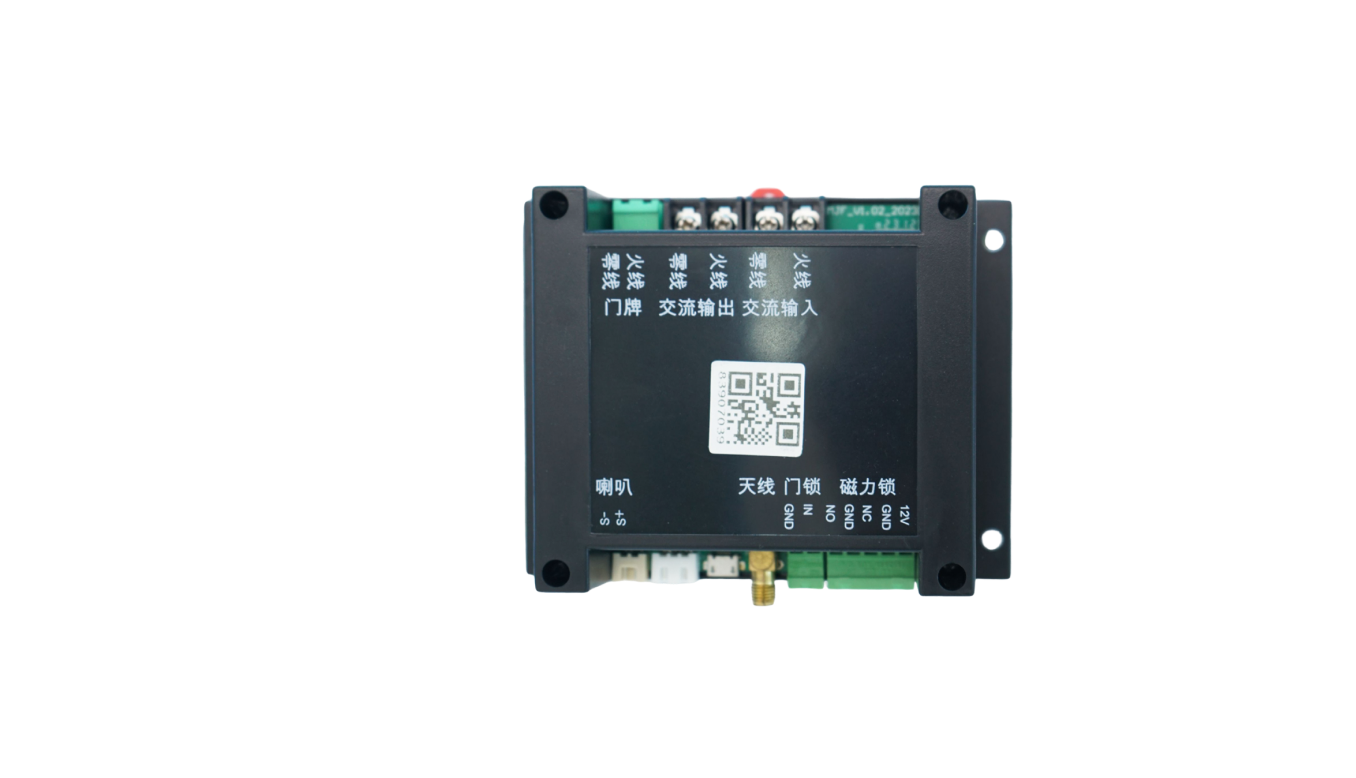 Smart locker unlock
Unlock relay via API atau QR dengan upload status pintu.
Buka panduan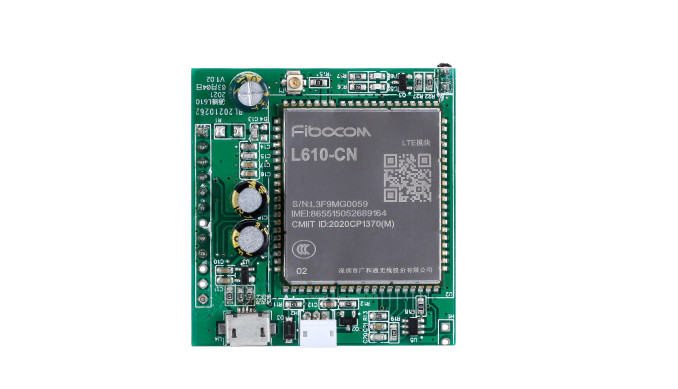 Upload data RS485
Telemetry, fault, meter, dan callback data serial.
Buka panduan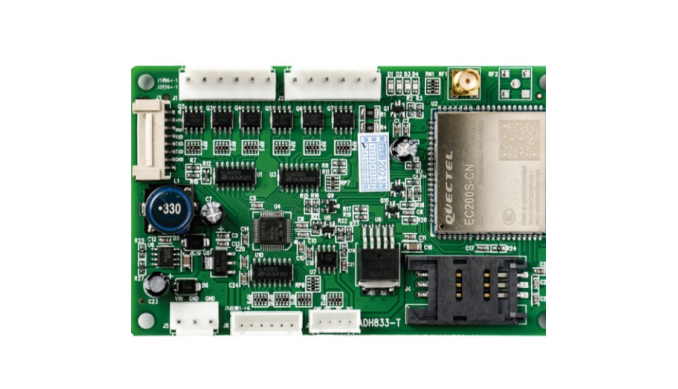 Retrofit MDB cashless
Tambah QR atau wallet callback ke vending MDB yang ada.
Buka panduan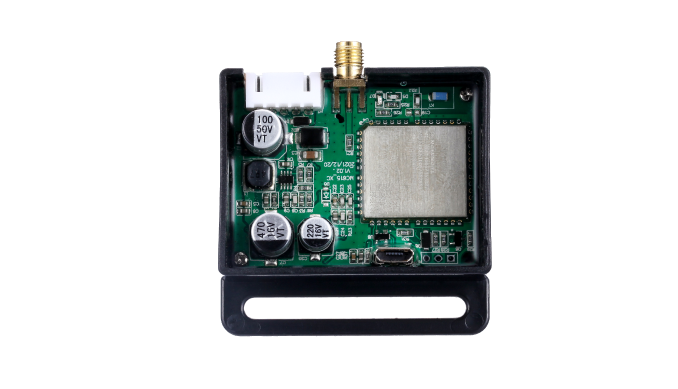 Payment massage chair
Sesi timed scan-to-start untuk kursi pijat.
Buka panduan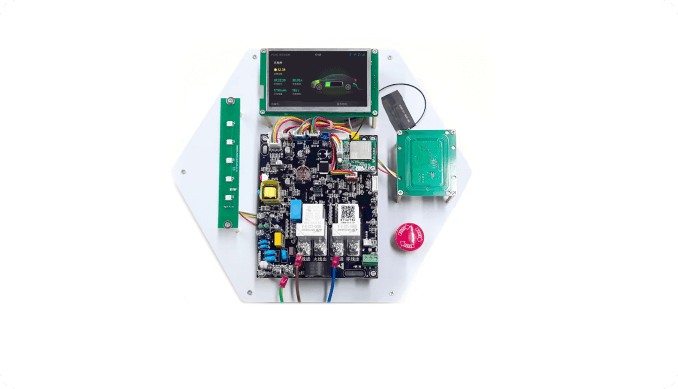 Socket charging EV
Sesi daya timed, kontrol relay, dan data pemakaian.
Buka panduan
Pulse kiddie ride
Pengganti pulse koin untuk wahana dan amusement.
Buka panduanHardware kontrol perangkat
Who this helps
QuLink is most useful when software, payment, or operations teams need a physical machine to react reliably after an API command or payment confirmation.
Retrofit existing machines with QR payment, remote start, telemetry, and fault reporting without rebuilding the full cabinet.
Who this helpsKeep the checkout and user flow in your platform; use QuLink for the machine-side trigger and result callback.
Who this helpsUse API commands, webhooks, and board-level interface mapping instead of rebuilding MDB, pulse, relay, or serial behavior.
Who this helpsMove from sample validation to firmware, connector, enclosure, and board customization for repeat deployment.
Who this helpsBoard selection
Most customers do not know the exact board model at first. Send the machine type, interface, wiring photo, or target action; QuLink will map it to a control board and API workflow.
Board examples
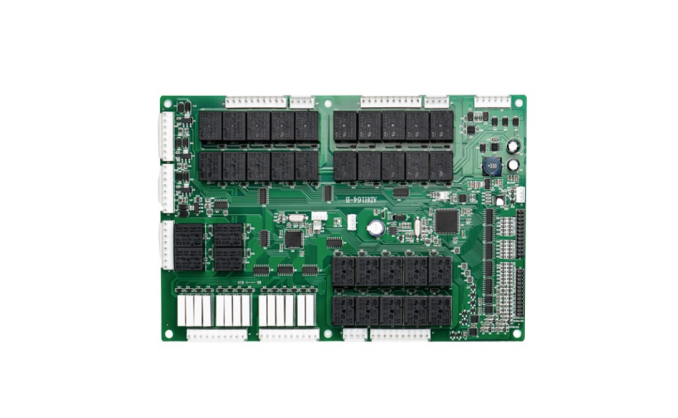
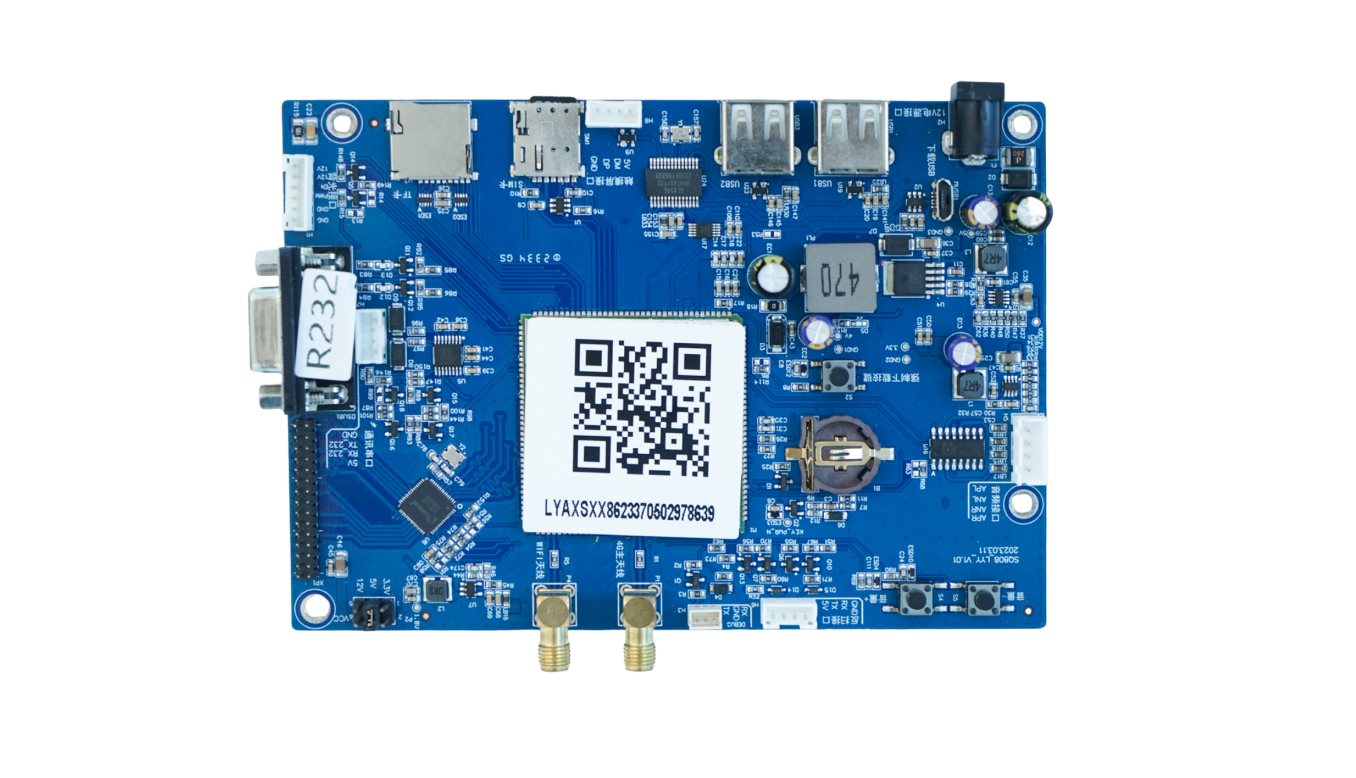
These board examples cover the machine-side jobs customers usually ask about: retail control, PLC vending, lift control, QR/API trigger, 4G data transmission, display/payment terminals, relay control, metering, charging, and lock control.
Vending and smart retail main control, multi-channel I/O, 4G connectivity, telemetry, and remote commands.
PLC vending control, relay outputs, motor/slot control, cabinet wiring, and API-driven operation.
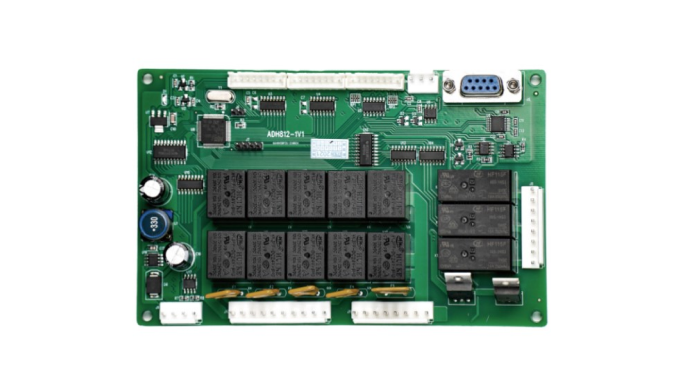
Lift cabinet control, elevator motor coordination, drop detection, serial/MDB integration, and vend result reporting.
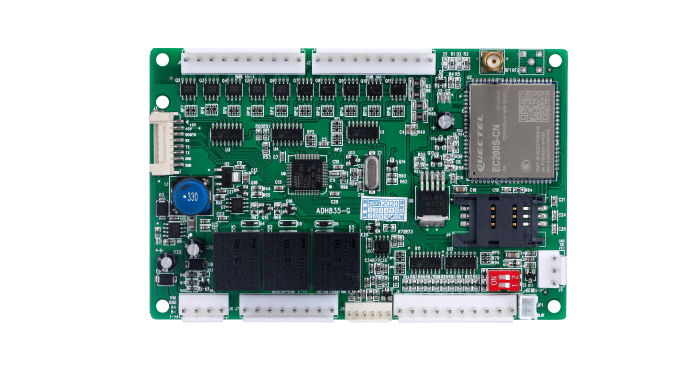
Retail cabinet controller with cellular module, SIM, multi-port wiring, machine status upload, and remote control.
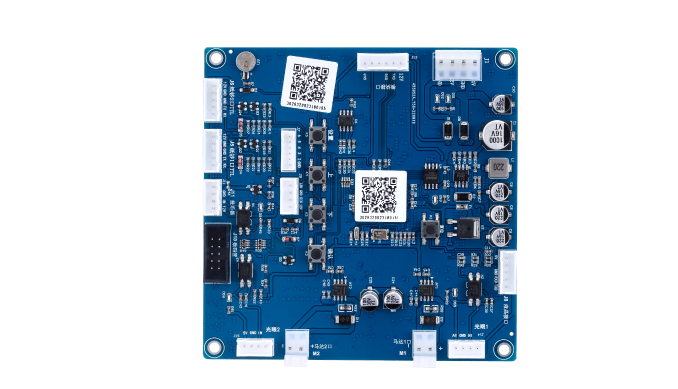
Scan-to-start and API command board for payment callback, relay trigger, timed run, unlock, or dispense actions.
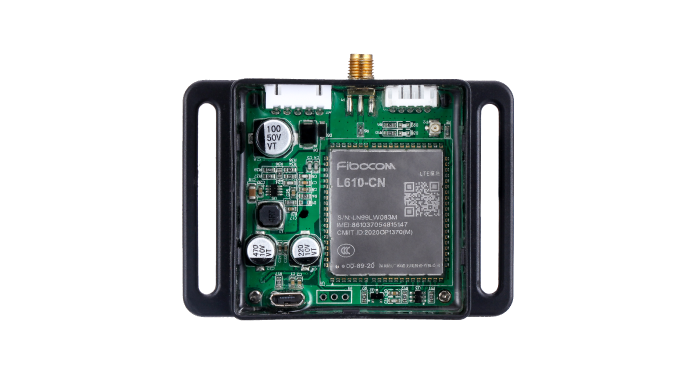
Compact cellular control box for remote equipment connection, data upload, OTA support, and field installation.
Small 4G controller for machine data transmission, remote command, and retrofit integration.
Cellular data module for connecting legacy machines to a server with telemetry and command callbacks.
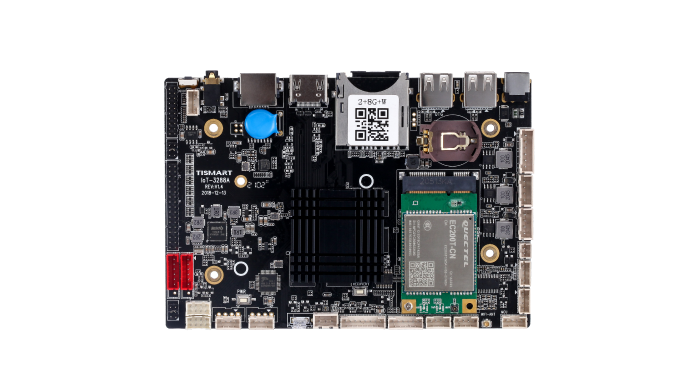
Display or smart cabinet main board for touch screens, QR workflows, media UI, and peripheral connections.
Screen payment terminal board with SIM, USB, serial, audio, and API connectivity for scan-to-start machines.
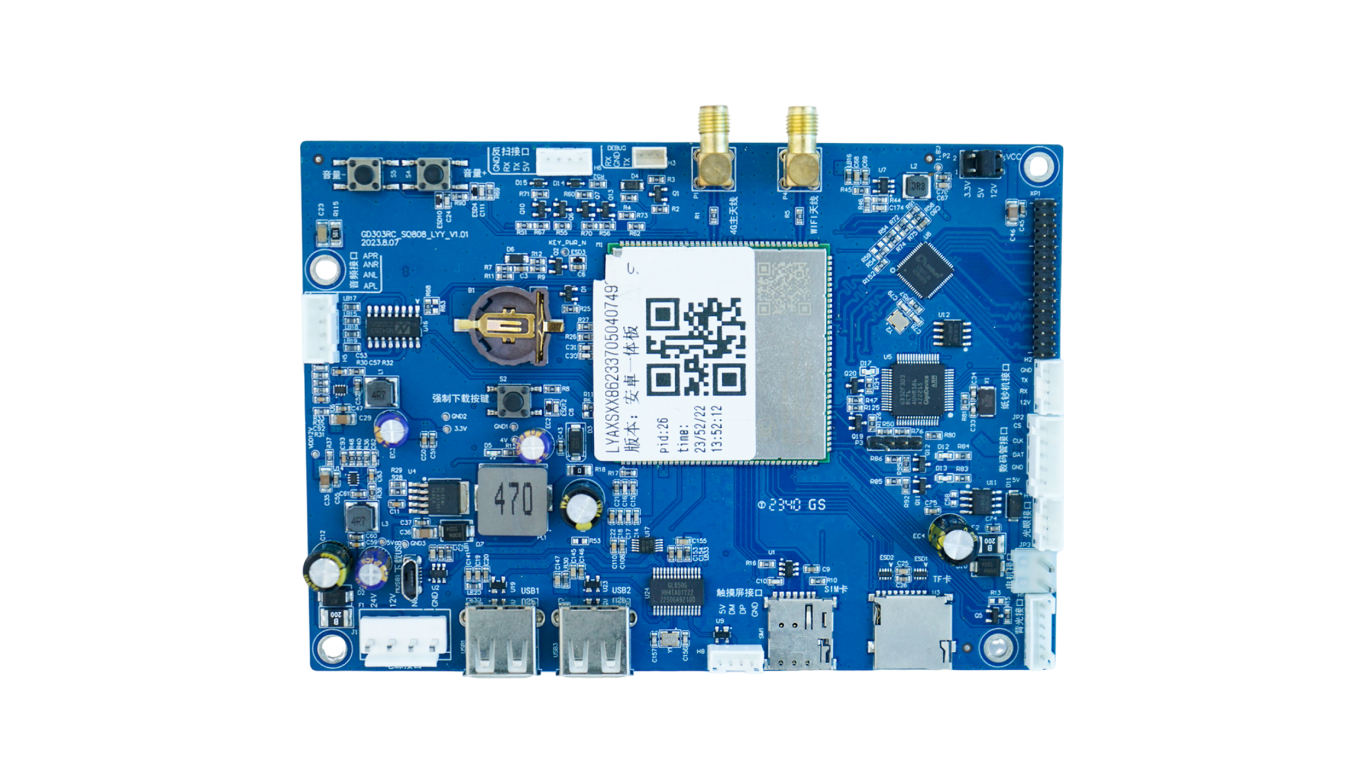
Another display-controller form factor for payment screens, interactive panels, and connected smart devices.
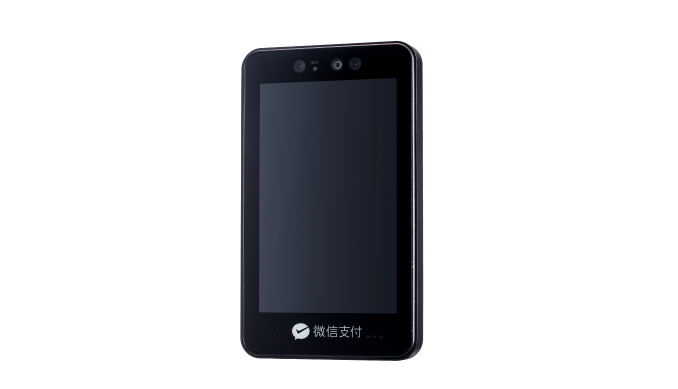
Terminal-style hardware for face recognition, screen payment, wallet login, or identity-based machine start workflows.
Lock, gate, access, room, locker, and timed relay control with QR/API command trigger.
Water, laundry, charging, sensor input, metering, relay output, and equipment-state reporting.
Charging and payment controller kit for display, card/QR module, relay output, and usage session control.
Cakupan hardware
Berdasarkan kategori hardware self-service umum, QuLink mencakup papan kontrol, konektivitas, upload data, dan lapisan trigger pembayaran. AI vision, RFID parking, atau controller khusus perlu dievaluasi sebagai proyek OEM.
Papan vending dengan atau tanpa layar, perangkat MDB, PLC vending, lift controller, drop sensor, dan kontrol smart cabinet.
MDB gateway / OEM controller
Layar QR payment, payment box, card terminal, dan controller scan-to-start yang butuh callback pembayaran untuk memicu mesin.
QR/API trigger board
Kiddie rides, amusement machine, kursi pijat, laundry, car wash, charging socket, ruang meja, dan perangkat timed relay.
Pulse / relay controller
Status, fault alert, usage log, vend result, telemetry, video/result event, dan callback data ke cloud.
Machine data bridge
Water control, liquid dispenser, e-bike charging, power metering, time billing, dan logika full-stop charging.
OEM control board
Face recognition, AI cabinet vision, RFID parking, BLE beacon, dan modul sensing lanjutan.
OEM integrationAlur kontrol
QuLink berada di antara server Anda dan interface mesin. Sistem Anda mengirim perintah, papan menerjemahkannya menjadi kontrol MDB, pulsa, relay, atau serial, lalu melaporkan hasil mesin.
Pilih mesin melalui device ID, rute, kabinet, slot, channel relay, atau sesi berbasis waktu.
Server Anda mengirim perintah bertanda tangan seperti start_session, trigger_relay, unlock, dispense, stop, atau query_status.
Papan QuLink menerjemahkan perintah menjadi MDB, pulsa, relay, serial, unlock, atau aksi timed-run.
Papan mengirim status online, hasil perintah, telemetry, alarm fault, hasil vend, atau data sesi ke cloud Anda.
QuLink QR payment
QuLink dapat menyediakan workflow QR payment sebagai kemampuan tambahan. Setelah pembayaran dikonfirmasi, QuLink mengubah event pembayaran menjadi perintah kontrol mesin yang sama.
Buat QR code untuk mesin, produk, aturan harga, channel relay, atau sesi berbasis waktu.
Gunakan QuLink QR payment, atau hubungkan callback wallet/provider Anda jika sudah punya payment stack.
Setelah konfirmasi, QuLink memulai, membuka kunci, dispense, memberi pulsa, atau menjalankan mesin dan melaporkan hasilnya.
How projects start
You do not need a perfect technical brief on day one. Share what the machine should do, send, or report; QuLink can help identify the interface and next test step.
Machine model, board photo, wiring photo, coin/payment module, or target action is enough to begin.
We check whether it is MDB, pulse, relay, serial, RS485, QR trigger, data upload, or a custom OEM case.
Connect a sample board, confirm command/API behavior, verify machine action and data callback.
Adjust firmware, connector, enclosure, QR payment, or OEM board design for repeat deployment.
Kategori mesin
MDB vend, QR vend, telemetry, event stok, hasil dispense.
Simulasi pulsa, waktu bermain, pengganti token, start session.
Timed relay, mulai siklus, QuLink QR payment atau callback aplikasi, event status mesin.
Unlock, rental, return, sesi charging, online/offline, upload data.
Panduan use case
Mulai dari panduan unggulan di bawah. Setiap halaman (Bahasa Inggris) menjelaskan interface, trigger, upload data, dan info untuk uji sampel.
A practical path for adding QR payment to vending machines using a machine-side controller, payment callback, vend trigger, and result upload.
Baca panduanConnect MDB vending machines to your backend with API vend commands, payment callbacks, telemetry, and MDB event upload.
Baca panduanConnect vending machines to QR payment, API commands, vend triggers, telemetry, and server callbacks without rebuilding the whole vending controller.
Baca panduanQR payment and API control board for laundry machines, timed relay start, pulse simulation, session status, and machine data upload.
Baca panduanTurn payment approval from your wallet, app, checkout, or backend into a physical machine action with QuLink control boards.
Baca panduanUpload self-service machine telemetry, faults, usage logs, vend results, meter values, and session events to your own cloud.
Baca panduanDeveloper API
Tim software Anda tidak perlu membangun ulang timing MDB, lebar pulsa, durasi relay, frame serial, upload telemetry, atau hasil vend dari nol.
start_session, trigger_relay, dispense, unlock, stop, query_status
device.online, command.accepted, telemetry.updated, machine.fault, vend.result, session.completed
POST /v1/devices/{device_id}/commands
{
  "command": "start_session",
  "source": "api_command",
  "machine_action": {
    "type": "relay",
    "duration_ms": 800
  },
  "reference_id": "CMD-2026-10492"
}
POST /webhooks/qulink
{
  "event": "payment.confirmed",
  "device_id": "VM-1049",
  "action": "trigger_relay",
  "telemetry": {
    "online": true,
    "last_result": "session_started"
  }
}
FAQ teknis
Ya. QuLink dapat menyediakan workflow QR payment untuk mesin scan-to-start. Pelanggan juga bisa memakai payment provider, wallet, aplikasi, atau callback server sendiri.
Ya. Papan QuLink dapat meng-upload status, telemetry, hasil vend, alarm fault, nilai sensor, dan log operasi ke server Anda.
QuLink mendukung MDB, pulsa, relay, UART, serial, RS485, workflow QuLink QR payment, dan interface papan OEM khusus.
Untuk system integrator, operator mesin, aplikasi pembayaran, penyedia wallet, dan OEM mesin yang ingin menghubungkan hardware ke backend sendiri.
Project RFQ
Kirim catatan singkat dulu. Kami akan mengonfirmasi interface mesin, workflow API, upload data, QuLink QR payment atau callback pembayaran Anda, dan jumlah unit.
If you are unsure about the exact interface, send what you have. Photos often answer more than a long spec.