Confirm payment event
Define what your system sends after approval: order ID, device ID, action, amount, or session.
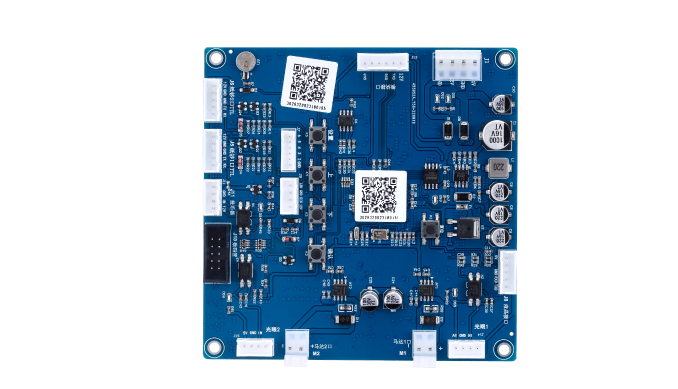
Payment callback hardware
Use QuLink when your payment system already confirms orders, but you need hardware to start, unlock, dispense, pulse, or run a physical machine.
Project fit
Integration model
QuLink receives your approved reference, translates it into the correct physical output, and returns status or result events.
Workflow
Define what your system sends after approval: order ID, device ID, action, amount, or session.
Map each approved event to a machine-side command.
The QuLink board triggers the machine and tracks the result.
Your backend receives success, failure, timeout, or fault events.
API example
The exact command fields depend on machine interface, firmware profile, and whether payment or your own app triggers the action.
POST /v1/devices/{device_id}/commands
{
  "command": "start_session",
  "source": "payment_callback",
  "reference_id": "PAY-APP-7781",
  "machine_action": {
    "type": "relay_or_mdb"
  }
}
Project RFQ
Send your payment callback shape, machine type, action after approval, data fields needed, and target deployment count.
If you are unsure about the exact interface, send what you have. Photos often answer more than a long spec.
FAQ
No. QuLink can provide QR payment, but it can also simply receive your payment approval and execute the machine action.
Yes, actions can map to device ID, product, relay channel, timed session, or firmware profile.
Yes. Failure, timeout, fault, and result events can be included when the machine-side integration supports them.
Related use cases