Identify the MDB path
Confirm whether the target machine is standard MDB, a cabinet controller, a coffee controller, or mixed vending wiring.
MDB vending integration
Use QuLink between your vending machine and your cloud when the machine uses MDB, needs remote vend control, payment callback triggers, telemetry upload, or a retrofit path that does not replace the whole machine.
Project fit
Integration model
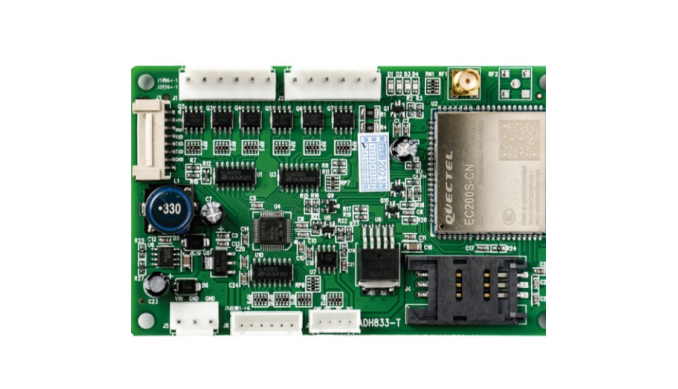
The QuLink board sits on the machine side, handles MDB communication, and exposes command/event flows to your server.
Workflow
Confirm whether the target machine is standard MDB, a cabinet controller, a coffee controller, or mixed vending wiring.
Define slot/product, vend authorization, payment reference, timeout, and result reporting.
Your backend receives online status, vend result, fault alert, and telemetry updates.
Run sample commands on the actual vending hardware before moving to batch deployment.
API example
The exact command fields depend on machine interface, firmware profile, and whether payment or your own app triggers the action.
POST /v1/devices/VM-1049/commands
{
  "command": "dispense",
  "source": "payment_confirmed",
  "machine_action": {
    "interface": "mdb",
    "slot": "A07"
  },
  "reference_id": "PAY-2026-1049"
}
Project RFQ
Send the vending machine model, MDB photos, board photos, payment workflow, and the vend action you need.
If you are unsure about the exact interface, send what you have. Photos often answer more than a long spec.
FAQ
Yes. Your payment app or server can confirm payment first, then call QuLink to trigger the MDB vend action.
Not always. Many projects start as a retrofit gateway. OEM controller replacement can be evaluated when the project needs repeat deployment.
Yes. QuLink can report device online status, vend results, fault events, usage logs, and telemetry to your server.
Related use cases