Machine operators
Retrofit existing machines with QR payment, remote start, telemetry, and fault reporting without rebuilding the full cabinet.
Who this helpsHardware-Steuerungsschicht für unbeaufsichtigte Maschinen
QuLink macht MDB-, Puls-, Relais- und serielle Maschinen API-fähig. Senden Sie Befehle, erfassen Sie Maschinendaten und nutzen Sie QuLink QR-Zahlung für Scan-to-Start.
Send the machine photo, current board photo, or coin/payment module photo. We will identify the interface and suggest a sample test path.
POST /v1/devices/VM-1049/commands
{
  "command": "trigger_relay",
  "source": "api_or_qr",
  "duration_ms": 800
}
Popular machine use cases
Choose the closest use case first. Each guide explains the machine interface, trigger workflow, data upload path, and what to send for a sample test.
 Vending QR payment
Scan-to-pay vending with API vend trigger and result upload.
Open guide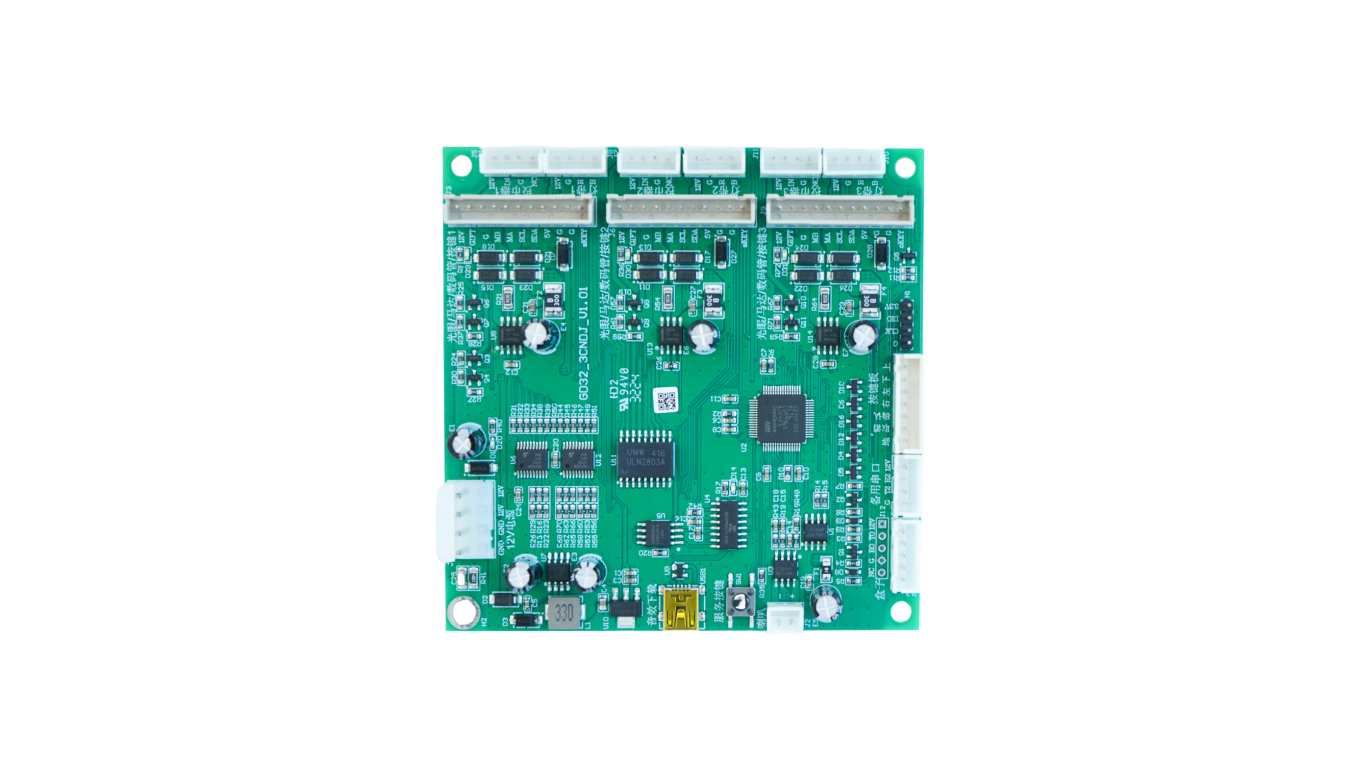 Laundry QR payment
Timed relay or pulse start for washers and dryers.
Open guide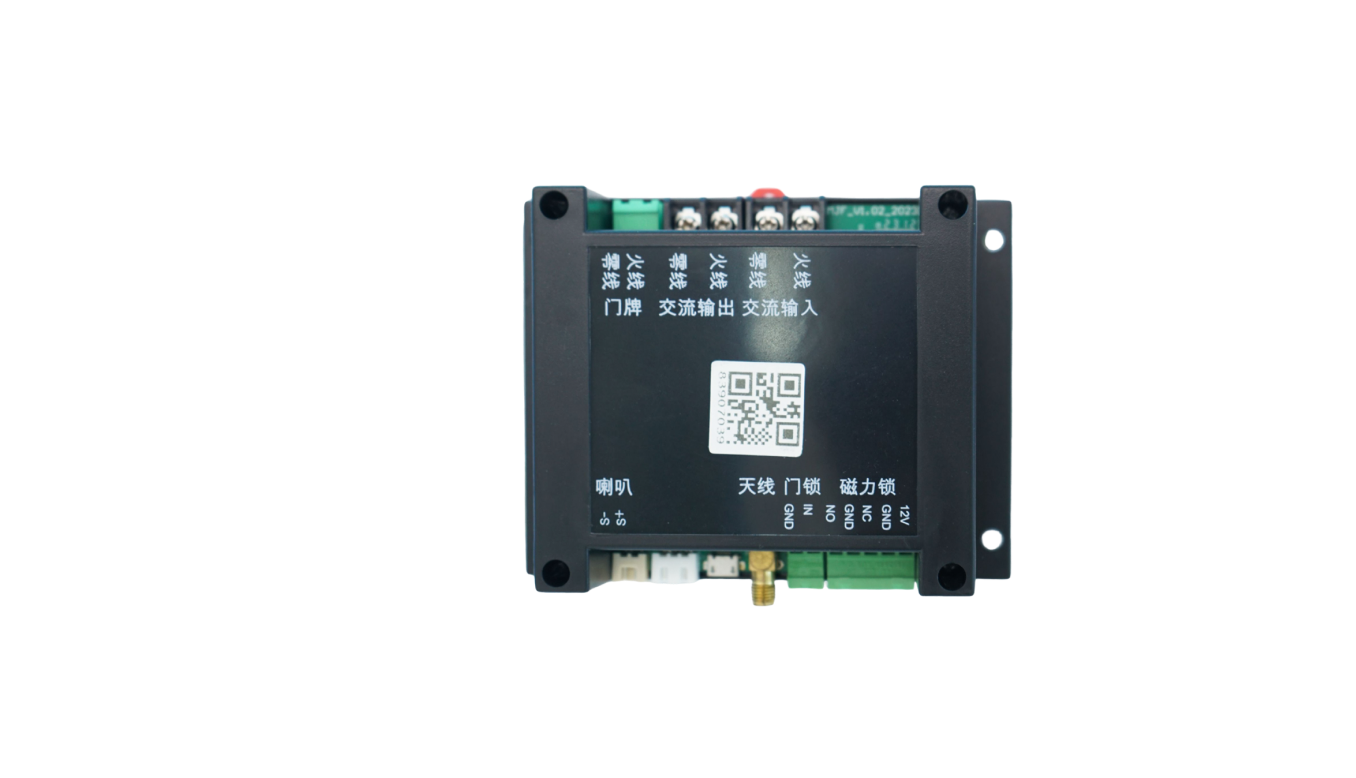 Smart locker unlock
API or QR-triggered relay unlock with door status upload.
Open guide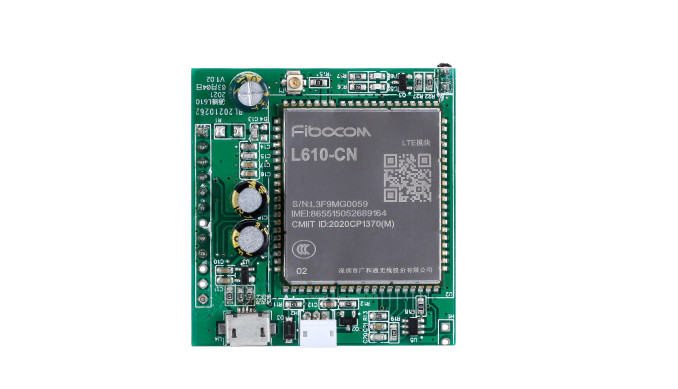 RS485 data upload
Telemetry, fault, meter, and serial data callbacks.
Open guide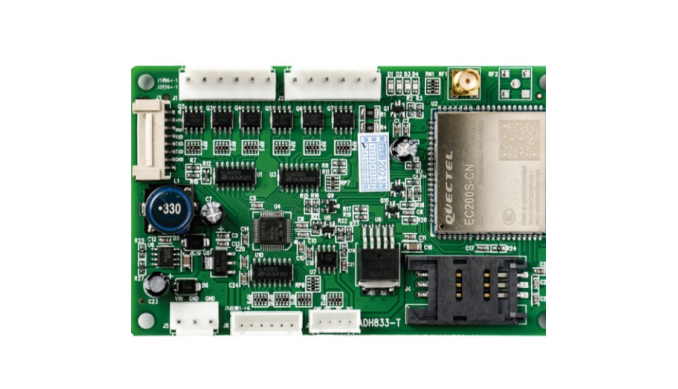 MDB cashless retrofit
Add QR or wallet callback to existing MDB vending machines.
Open guide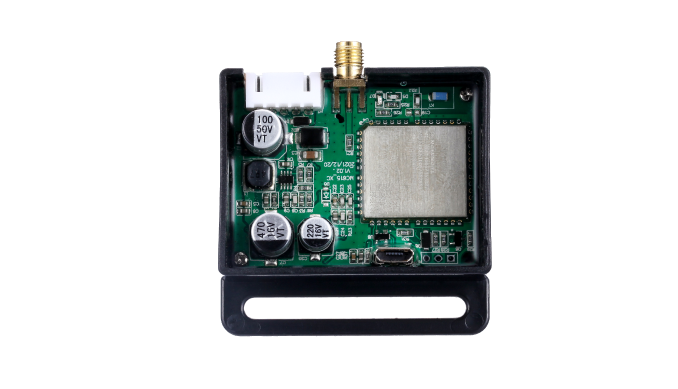 Massage chair payment
QR scan-to-start timed sessions for massage chairs.
Open guide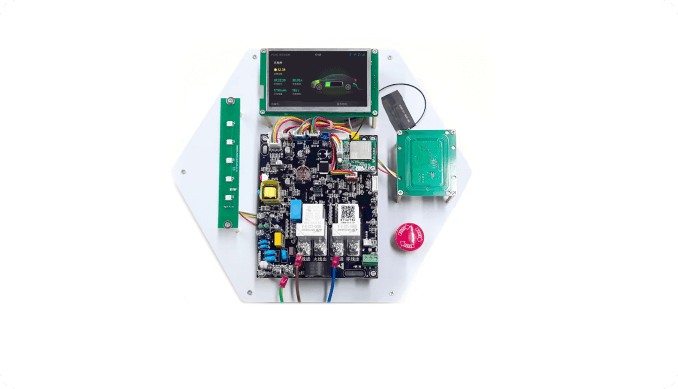 EV charging socket
Timed power sessions, relay control, and usage data.
Open guide
Kiddie ride pulse
Coin pulse replacement for rides and amusement devices.
Open guideHardware für Gerätesteuerung
Who this helps
QuLink is most useful when software, payment, or operations teams need a physical machine to react reliably after an API command or payment confirmation.
Retrofit existing machines with QR payment, remote start, telemetry, and fault reporting without rebuilding the full cabinet.
Who this helpsKeep the checkout and user flow in your platform; use QuLink for the machine-side trigger and result callback.
Who this helpsUse API commands, webhooks, and board-level interface mapping instead of rebuilding MDB, pulse, relay, or serial behavior.
Who this helpsMove from sample validation to firmware, connector, enclosure, and board customization for repeat deployment.
Who this helpsBoard selection
Most customers do not know the exact board model at first. Send the machine type, interface, wiring photo, or target action; QuLink will map it to a control board and API workflow.
Board examples
These board examples cover the machine-side jobs customers usually ask about: retail control, PLC vending, lift control, QR/API trigger, 4G data transmission, display/payment terminals, relay control, metering, charging, and lock control.
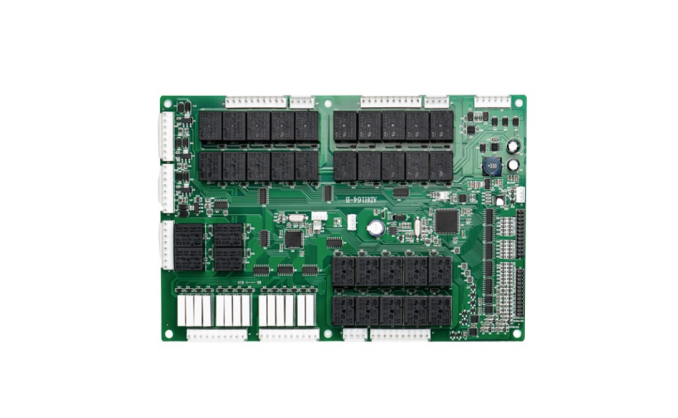
Vending and smart retail main control, multi-channel I/O, 4G connectivity, telemetry, and remote commands.
PLC vending control, relay outputs, motor/slot control, cabinet wiring, and API-driven operation.
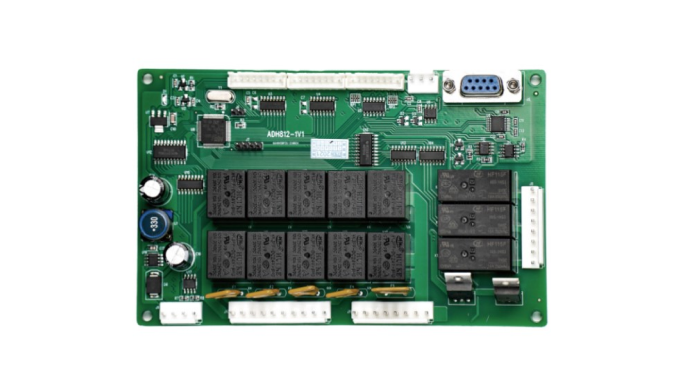
Lift cabinet control, elevator motor coordination, drop detection, serial/MDB integration, and vend result reporting.
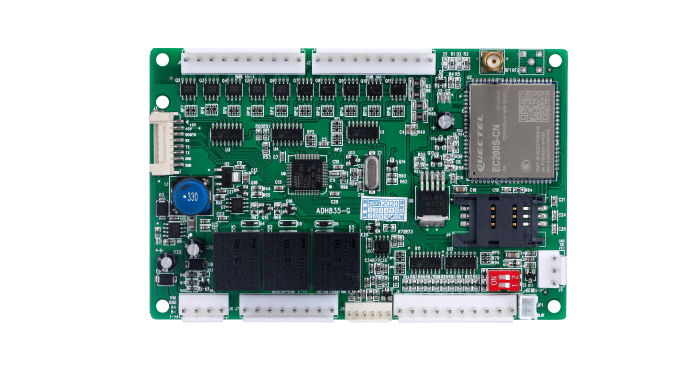
Retail cabinet controller with cellular module, SIM, multi-port wiring, machine status upload, and remote control.
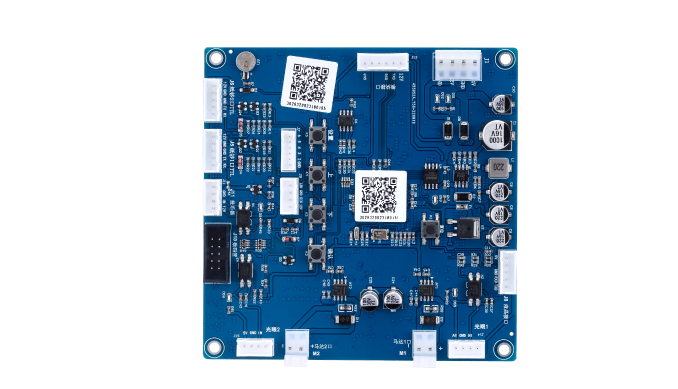
Scan-to-start and API command board for payment callback, relay trigger, timed run, unlock, or dispense actions.
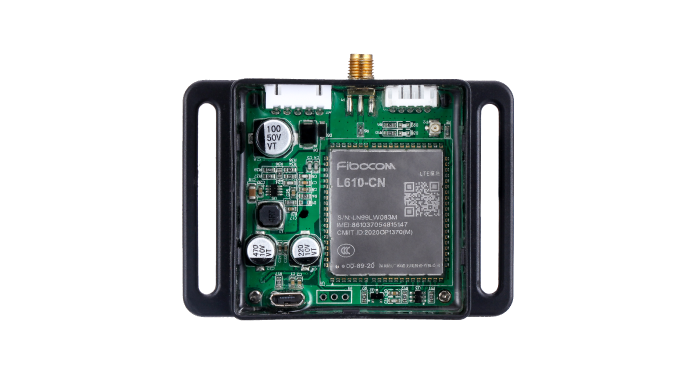
Compact cellular control box for remote equipment connection, data upload, OTA support, and field installation.
Small 4G controller for machine data transmission, remote command, and retrofit integration.
Cellular data module for connecting legacy machines to a server with telemetry and command callbacks.
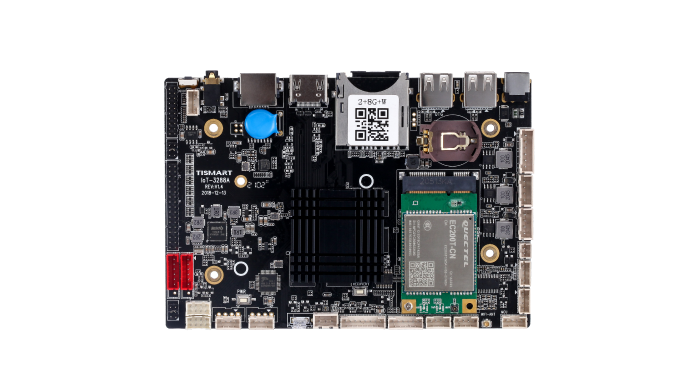
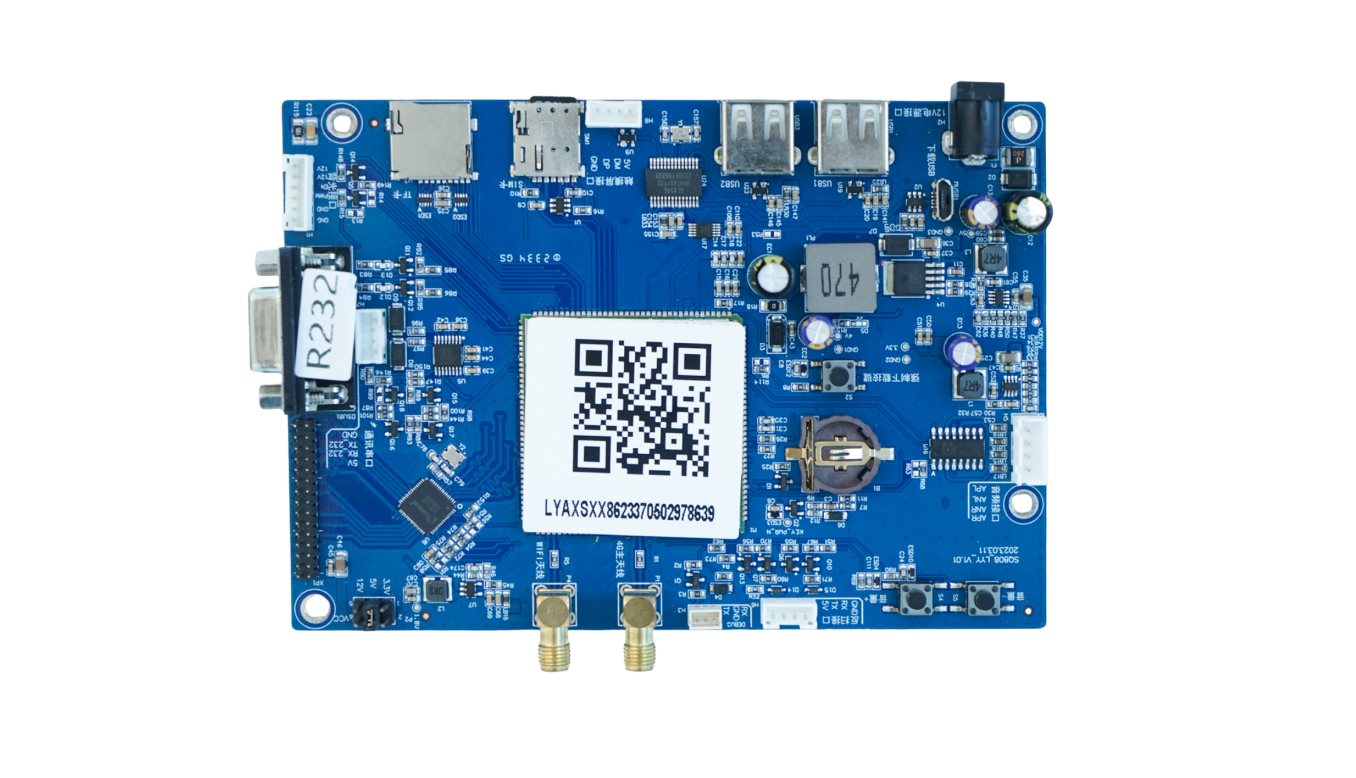
Display or smart cabinet main board for touch screens, QR workflows, media UI, and peripheral connections.
Screen payment terminal board with SIM, USB, serial, audio, and API connectivity for scan-to-start machines.
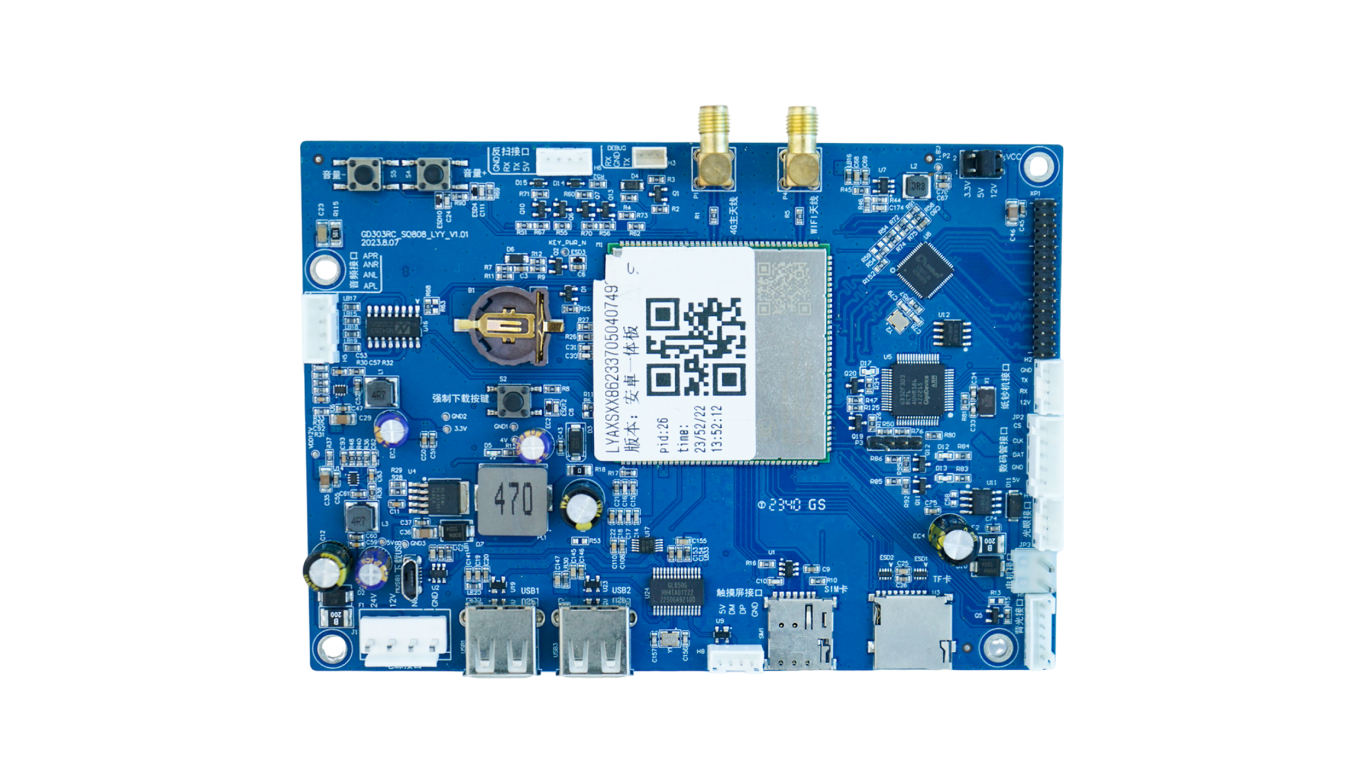
Another display-controller form factor for payment screens, interactive panels, and connected smart devices.
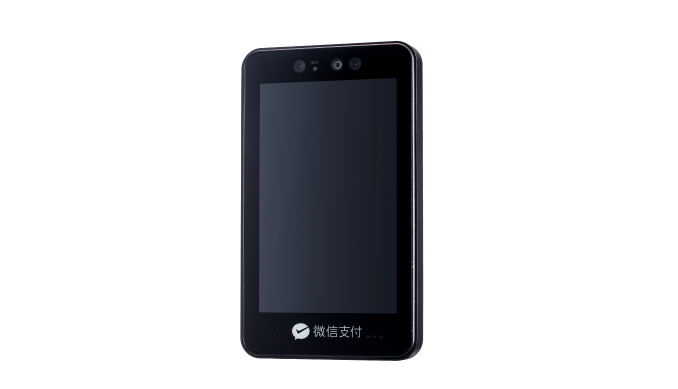
Terminal-style hardware for face recognition, screen payment, wallet login, or identity-based machine start workflows.
Lock, gate, access, room, locker, and timed relay control with QR/API command trigger.
Water, laundry, charging, sensor input, metering, relay output, and equipment-state reporting.
Charging and payment controller kit for display, card/QR module, relay output, and usage session control.
Hardware-Abdeckung
Für typische Self-Service-Hardware deckt QuLink Steuerungsboard, Konnektivität, Daten-Upload und Payment-Trigger ab. AI Vision, RFID Parking oder sehr spezielle Controller sollten als OEM-Projekt geprüft werden.
Vending-Boards mit oder ohne Display, MDB-Geräte, PLC-Vending, Lift-Controller, Drop-Sensoren und Smart-Cabinet-Steuerung.
MDB-Gateway / OEM-Controller
QR-Payment-Displays, Payment-Boxen, Kartenterminals und Scan-to-Start-Controller mit Payment-Callback.
QR/API-Trigger-Board
Kiddie Rides, Amusement, Massagesessel, Laundry, Car Wash, Charging-Sockets und zeitbasierte Relaisgeräte.
Puls-/Relais-Controller
Status, Fehleralarme, Nutzungslogs, Vend-Ergebnisse, Telemetrie, Ergebnis-Events und Cloud-Callback-Daten.
Machine Data Bridge
Wassersteuerung, Liquid Dispenser, E-Bike-Charging, Leistungsmessung, Zeitabrechnung und Full-Stop-Charging.
OEM-Steuerungsboard
Gesichtserkennung, AI-Cabinet-Vision, RFID Parking, BLE Beacons und erweiterte Sensormodule.
OEM-IntegrationSteuerungsablauf
QuLink sitzt zwischen Ihrem Server und dem Maschineninterface. Ihr System sendet einen Befehl, das Board übersetzt ihn in MDB-, Puls-, Relais- oder serielle Steuerung und meldet das Ergebnis zurück.
Wählen Sie die Maschine per Device-ID, Route, Cabinet, Slot, Relaiskanal oder zeitbasierter Session.
Ihr Server sendet einen signierten Befehl wie start_session, trigger_relay, unlock, dispense, stop oder query_status.
Das QuLink Board übersetzt den Befehl in MDB, Puls, Relais, seriell, Unlock oder zeitbasierte Aktion.
Das Board sendet Online-Status, Befehlsergebnis, Telemetrie, Fehleralarm, Vend-Ergebnis oder Session-Daten an Ihre Cloud.
QuLink QR-Zahlung
QuLink kann den QR-Zahlungsworkflow als Zusatzfunktion bereitstellen. Nach bestätigter Zahlung wird das Payment-Event in denselben Maschinensteuerungsbefehl übersetzt.
Erzeugen Sie einen QR-Code für Maschine, Produkt, Preisregel, Relaiskanal oder zeitbasierte Session.
Nutzen Sie QuLink QR-Zahlung oder binden Sie Ihren eigenen Wallet-/Provider-Callback an.
Nach Bestätigung startet, entriegelt, gibt aus, pulst oder betreibt QuLink die Maschine und meldet das Ergebnis.
How projects start
You do not need a perfect technical brief on day one. Share what the machine should do, send, or report; QuLink can help identify the interface and next test step.
Machine model, board photo, wiring photo, coin/payment module, or target action is enough to begin.
We check whether it is MDB, pulse, relay, serial, RS485, QR trigger, data upload, or a custom OEM case.
Connect a sample board, confirm command/API behavior, verify machine action and data callback.
Adjust firmware, connector, enclosure, QR payment, or OEM board design for repeat deployment.
Maschinenkategorien
MDB Vend, QR Vend, Telemetrie, Bestands-Event, Ausgabeergebnis.
Pulssimulation, zeitbasiertes Spielen, Token-Ersatz, Session-Start.
Zeitrelais, Zyklusstart, QuLink QR-Zahlung oder App-Callback, Maschinenstatus-Event.
Entriegeln, Miete, Rückgabe, Ladesession, online/offline, Daten-Upload.
Anwendungsfall-Leitfäden
Starten Sie mit den empfohlenen Leitfäden unten. Jede Seite (Englisch) erklärt Interface, Zahlungstrigger, Datenupload und Infos für Muster-Tests.
A practical path for adding QR payment to vending machines using a machine-side controller, payment callback, vend trigger, and result upload.
Leitfaden lesenConnect MDB vending machines to your backend with API vend commands, payment callbacks, telemetry, and MDB event upload.
Leitfaden lesenConnect vending machines to QR payment, API commands, vend triggers, telemetry, and server callbacks without rebuilding the whole vending controller.
Leitfaden lesenQR payment and API control board for laundry machines, timed relay start, pulse simulation, session status, and machine data upload.
Leitfaden lesenTurn payment approval from your wallet, app, checkout, or backend into a physical machine action with QuLink control boards.
Leitfaden lesenUpload self-service machine telemetry, faults, usage logs, vend results, meter values, and session events to your own cloud.
Leitfaden lesenDeveloper API
Ihr Softwareteam muss MDB-Timing, Pulsbreite, Relaisdauer, serielle Frames, Telemetrie-Upload oder Vend-Ergebnisse nicht selbst nachbauen.
start_session, trigger_relay, dispense, unlock, stop, query_status
device.online, command.accepted, telemetry.updated, machine.fault, vend.result, session.completed
POST /v1/devices/{device_id}/commands
{
  "command": "start_session",
  "source": "api_command",
  "machine_action": {
    "type": "relay",
    "duration_ms": 800
  },
  "reference_id": "CMD-2026-10492"
}
POST /webhooks/qulink
{
  "event": "payment.confirmed",
  "device_id": "VM-1049",
  "action": "trigger_relay",
  "telemetry": {
    "online": true,
    "last_result": "session_started"
  }
}
Technische FAQ
Ja. QuLink kann QR-Zahlungsworkflows für Scan-to-Start-Maschinen bereitstellen. Kunden können auch ihren eigenen Payment Provider, Wallet, App oder Server-Callback anbinden.
Ja. QuLink Boards können Status, Telemetrie, Vend-Ergebnisse, Fehleralarme, Sensorwerte und Betriebslogs an Ihren Server hochladen.
QuLink unterstützt MDB, Puls, Relais, UART, seriell, RS485, QuLink QR-Zahlungsworkflows und kundenspezifische OEM-Board-Interfaces.
Für Systemintegratoren, Maschinenbetreiber, Payment Apps, Wallet-Anbieter und Maschinen-OEMs, die Hardware an ihr eigenes Backend anbinden wollen.
Projekt-RFQ
Senden Sie zuerst eine kurze Notiz. Wir klären Maschineninterface, API-Workflow, Daten-Upload, QuLink QR-Zahlung oder Ihren Payment-Callback und die Stückzahl.
If you are unsure about the exact interface, send what you have. Photos often answer more than a long spec.