Define compartments
Confirm lock count, relay channel, voltage, and door sensor requirements.
Locker unlock control
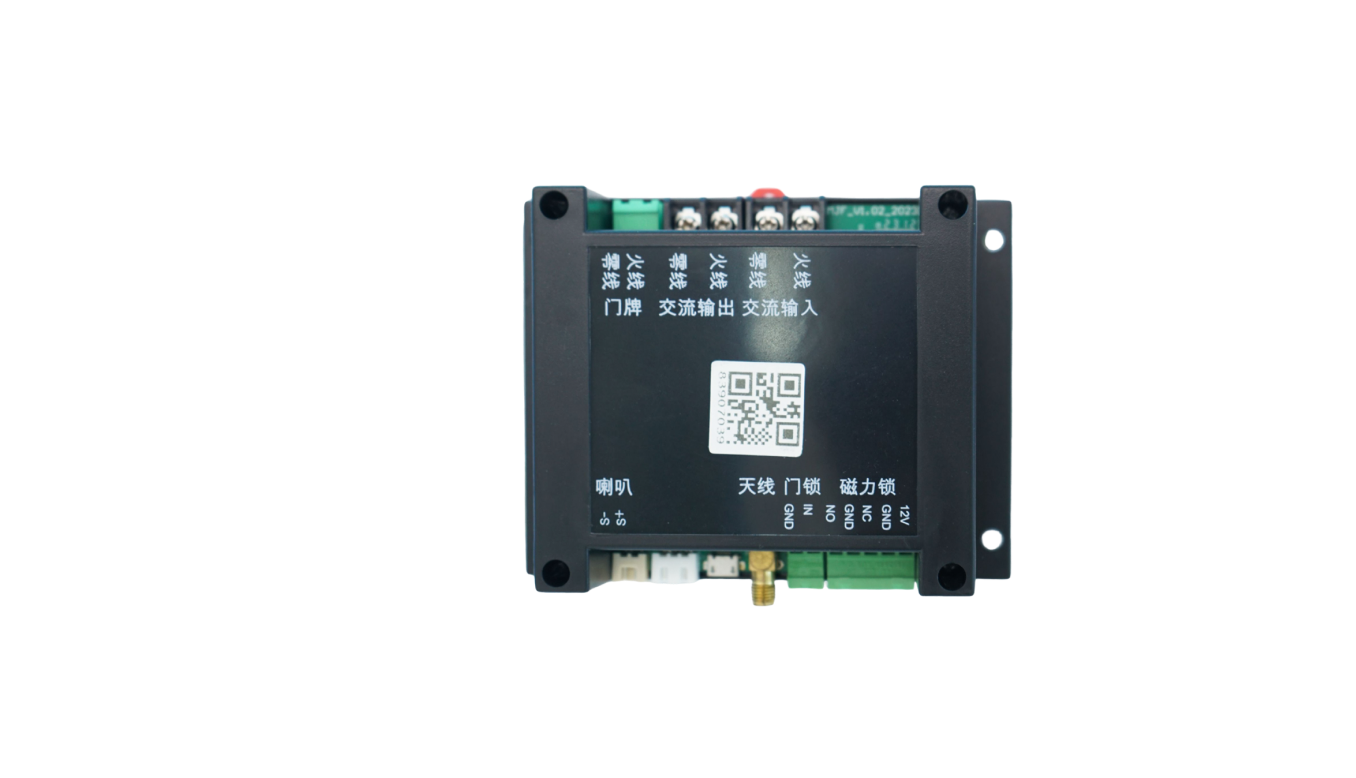
Use QuLink when a locker, cabinet, access door, or compartment device needs server-controlled unlock, QR payment trigger, relay output, and door/status upload.
Project fit
Integration model
QuLink receives the unlock command, controls the relay output, and can upload door state or operation result to your server.
Workflow
Confirm lock count, relay channel, voltage, and door sensor requirements.
Your platform decides payment, booking, identity, or operator approval.
QuLink triggers the correct relay or lock channel.
Door status and operation result are sent back to your backend.
API example
The exact command fields depend on machine interface, firmware profile, and whether payment or your own app triggers the action.
POST /v1/devices/LOCKER-22/commands
{
  "command": "unlock",
  "source": "booking_approved",
  "machine_action": {
    "type": "relay",
    "channel": 7,
    "duration_ms": 800
  }
}
Project RFQ
Send the locker/cabinet photo, lock voltage, channel count, door sensor needs, and app/payment workflow.
If you are unsure about the exact interface, send what you have. Photos often answer more than a long spec.
FAQ
Yes, multi-channel relay or OEM board options can be evaluated based on lock count and wiring.
Yes. QuLink QR payment or your own payment callback can trigger the unlock command.
Yes. Door sensors can be mapped to status and event callbacks when the hardware supports it.
Related use cases