Brazil PIX payment

PIX QR payment for vending and self-service machines in Brazil.

Use QuLink when a Brazil machine project needs PIX payment approval to trigger a vend, relay, pulse, unlock, or timed session, with result data returned to your backend.

PIX callbackVend / relay triggerMDB or pulseResult upload
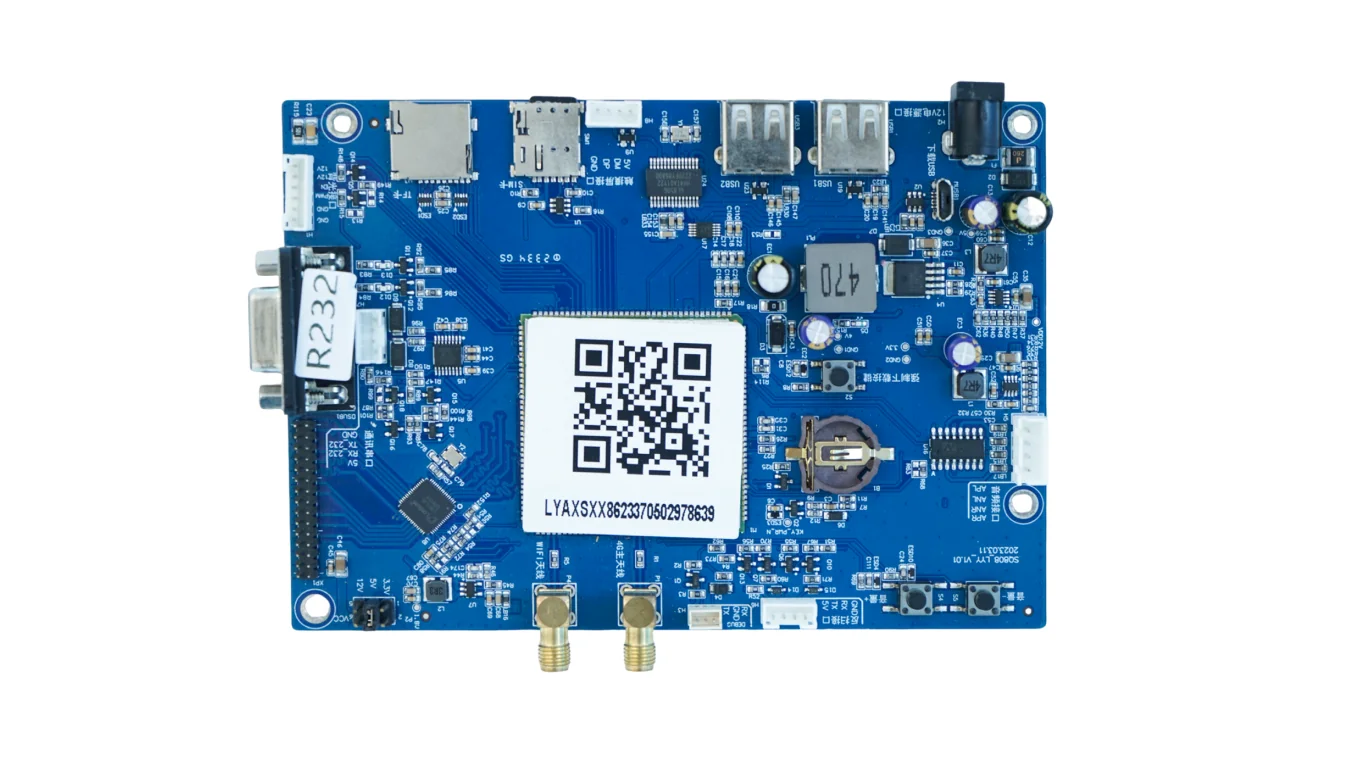
PIX QR payment vending machine controller board

Project fit

For Brazil operators, payment apps, and machine integrators

Buyer signals

  • Vending machines that need PIX scan-to-pay and automatic vend.
  • Self-service machines that start a relay, pulse, or timed session after payment.
  • Teams keeping their own PIX provider, acquirer, or checkout.
  • Operators that need payment reference, machine result, and fault events.

What to send first

  • Machine photo or existing board photo
  • Interface or wiring note if available
  • Target action after API command or payment
  • Whether telemetry or data upload is required

Not the right fit if

  • You only need a pure payment acquiring account and no machine-side control.
  • There is no physical machine action after payment, booking, or API approval.
  • The project has no machine photo, board photo, wiring note, or interface clue yet.

Integration model

PIX approval becomes a machine command

QuLink does not need to replace your PIX provider. Your checkout, PSP, or backend confirms payment, then the QuLink board executes the machine action and reports the result.

Payment source
PIX QR, PSP callback, app approval, or server command
Machine output
MDB vend, relay output, pulse simulation, unlock, serial command, timed session
Data returned
payment reference, command accepted, machine started, vend.result, session completed, fault
Project mode
payment app integration, vending retrofit, OEM controller, pilot rollout

Workflow

From machine interface to API-controlled result.

Confirm PIX flow

Decide whether PIX is handled by your PSP, acquirer, or backend, and how payment confirmation reaches QuLink.

Identify machine interface

Check MDB, pulse, relay, serial, or cabinet-controller wiring from machine photos.

Map approval to action

Define device ID, product, price, slot, relay channel, or session duration.

Run sample test

Validate payment callback, machine action, timeout, and result upload on one machine.

API example

A clear server command or webhook for the machine-side action.

The exact command fields depend on machine interface, firmware profile, and whether payment or your own app triggers the action.

POST /v1/devices/VEND-BR-12/commands
{
  "command": "dispense",
  "source": "pix_callback",
  "reference_id": "PIX-E2E-20261022-001",
  "machine_action": {
    "interface": "mdb_or_relay",
    "slot": "B04"
  }
}

Project RFQ

Send a machine photo. We help identify the board, interface, and next test step.

Send the PIX flow, machine photos, interface notes, target action after payment, and expected rollout quantity.

A good first message

If you are unsure about the exact interface, send what you have. Photos often answer more than a long spec.

  • Machine type and target country
  • Machine photo, board photo, or wiring photo
  • Action after payment or API command
  • Need data upload? expected quantity?
Fastest first step
  • Send a machine photo
  • Describe the action after API or payment
  • Tell us if data upload is needed
Project checklist

Tip: include machine type, target action after payment/API, photo availability, and expected quantity. We usually reply within 24 hours.

Have machine or board photos? Send them on WhatsApp — we usually review photos there first.

FAQ

Questions buyers usually ask before a sample test.

Does QuLink process PIX directly?

QuLink can integrate PIX payment workflows through your PSP or backend. Many projects keep the PIX provider and use QuLink for the machine-side action.

Can we keep our own PIX provider?

Yes. Your provider or checkout confirms payment first, then calls the QuLink command API.

Which machines can use this?

Vending, smart retail, lockers, charging, laundry, and timed self-service machines with a compatible control interface.

Can it report payment and vend results?

Yes. The project can return payment reference, command accepted, vend result, session completion, and fault events.

WhatsApp photo Send details