Pulse & relay controller

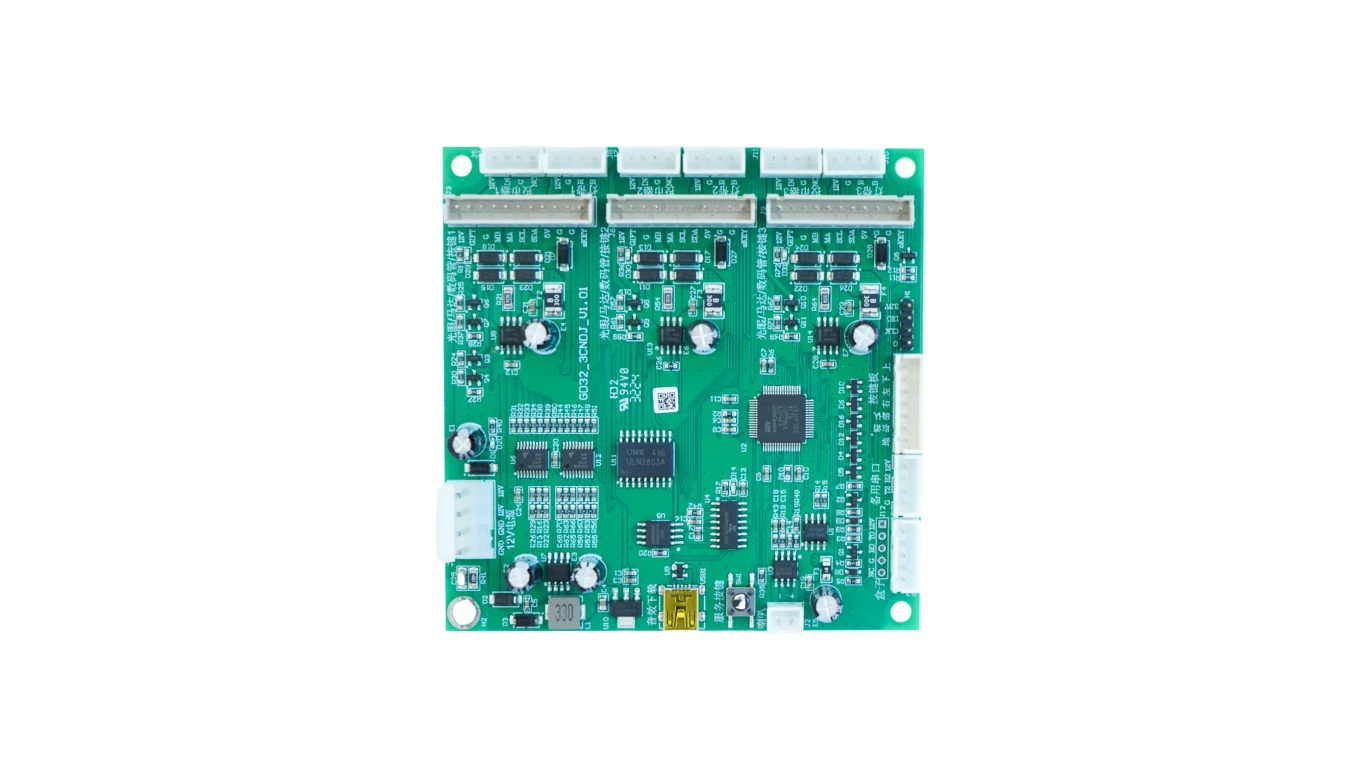
QL-PR-200 pulse & relay controller

A compact control board for coin-op, claw, laundry, locker, and timed-start machines. Trigger pulse counts, relay outputs, or a timed session from your own API.

Pulse inputRelay outputTimed sessionSession result
QL-PR-200 pulse and relay controller board

Project fit

For pulse, relay, and timed-start machines

Buyer signals

  • Claw machines and arcade equipment with a pulse or relay start.
  • Laundry machines that need a timed relay or pulse sequence.
  • Lockers and cabinets that accept a dry-contact unlock signal.
  • Projects replacing coin modules with API or QR control.

What to send first

  • Machine photo or existing board photo
  • Interface or wiring note if available
  • Target action after API command or payment
  • Whether telemetry or data upload is required

Not the right fit if

  • The machine has no pulse, relay, serial, or other controllable input.
  • You need payment acquiring, settlement, or wallet balance.
  • You need a guaranteed timing or compatibility result before a sample.

Integration model

From API command to pulse or relay action

Your server sends a command, QuLink runs the configured pulse count, relay duration, or timed session, then reports the result and device status.

Product model
QL-PR-200
Pulse input
4 channels; 5–24V opto-isolated
Pulse output
4 channels; 20–1000 ms configurable
Relay
4 channels; NO / NC / COM
Relay rating
10A 250VAC / 10A 30VDC
Power input
12–24V DC; 3A
Communication
RS485 / UART; RS232 optional
Connectivity
4G LTE Cat.1 optional; Wi-Fi optional
Offline storage
4 GB; up to 14 days
Firmware
Standard firmware; OTA update support
Indicative sample price
USD 129–199 for one sample; final quote after interface review
Applications
Claw machines, laundry, lockers, arcade, timed equipment

Workflow

From machine interface to API-controlled result.

Confirm the machine interface

Send the controller label, wiring photos, and the action the machine must perform.

Map the command

Define the API command, machine action, result fields, timeout, and fault behavior.

Test one machine

Validate the command, machine action, result, and reconnect behavior on a sample.

Configure the rollout

Confirm connector, firmware, quantity, and support before production.

API example

A clear server command or webhook for the machine-side action.

The exact command fields depend on machine interface, firmware profile, and whether payment or your own app triggers the action.

POST /v1/devices/CLAW-07/commands
{
  "command": "pulse",
  "channel": 1,
  "count": 1,
  "reference_id": "SESSION-2048"
}

Project RFQ

Send a machine photo. We help identify the board, interface, and next test step.

Send the machine model, controller photos, and the pulse or relay action you need.

A good first message

If you are unsure about the exact interface, send what you have. Photos often answer more than a long spec.

  • Machine type and target country
  • Machine photo, board photo, or wiring photo
  • Action after payment or API command
  • Need data upload? expected quantity?
Fastest first step
  • Send a machine photo
  • Describe the action after API or payment
  • Tell us if data upload is needed
Optional: company, quantity, interface, and data needs

Tip: include machine type, target action after payment/API, photo availability, and expected quantity. We usually reply within 24 hours.

Have machine or board photos? Send them on WhatsApp — we usually review photos there first.

FAQ

Questions buyers usually ask before a sample test.

Can it control a machine without MDB?

Yes. QL-PR-200 is for pulse, relay, or timed-start paths. The machine does not need an MDB cashless interface.

Can it count pulses from an existing coin mechanism?

Yes, where the pulse level and polarity match the input specification. Confirm the signal on a sample.

Does it support a timed session?

Yes. Relay duration and session behavior are configured per machine profile.

What should we send first?

Controller photos, pulse or relay wiring, power measurement, and the exact start/stop action.

WhatsApp photo Send details