Map slots and locks
Confirm lock wiring, slot numbering, sensors, and board channel count.
Power bank cabinet control
Use QuLink when a shared power bank cabinet, charging station, or rental locker needs QR payment or app approval to unlock a slot, track return status, and upload usage data.
Part of Pulse Relay Controller for Laundry and Timed Machines
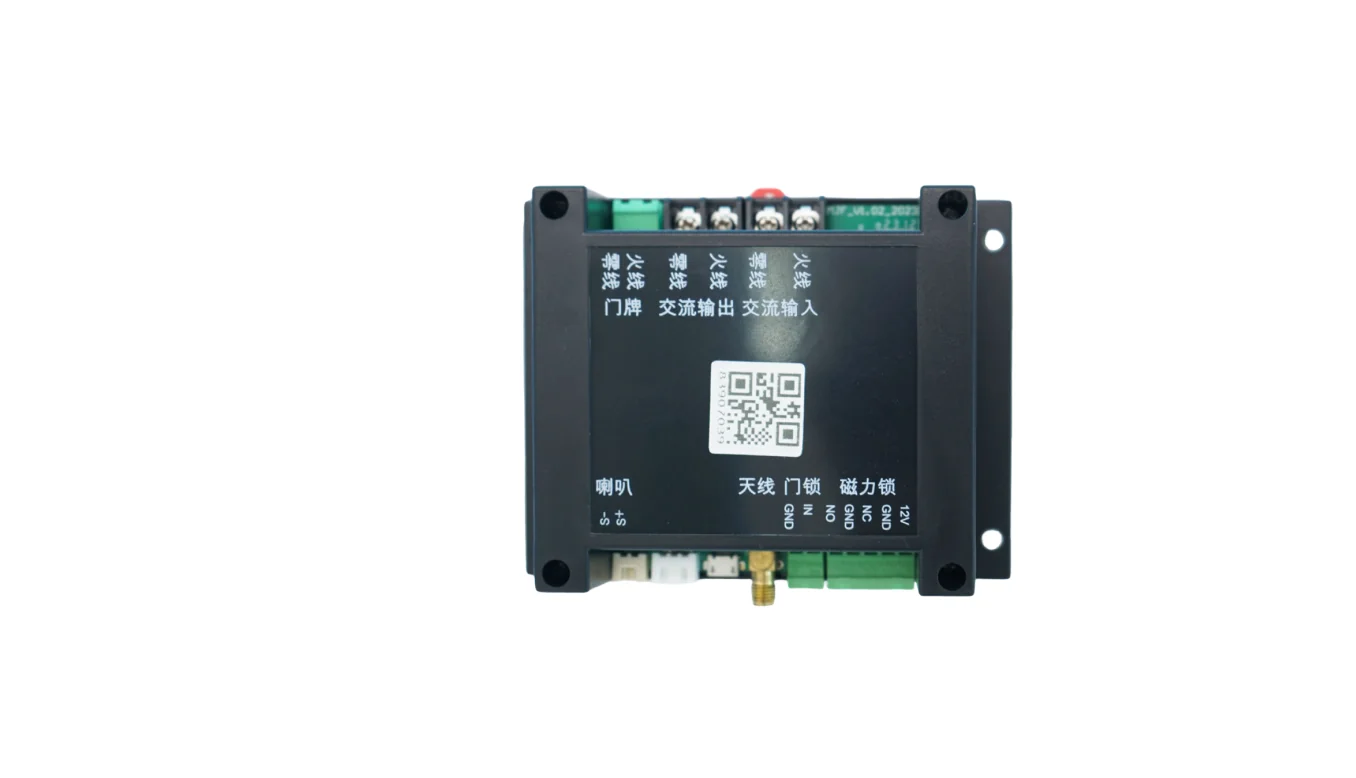
Project fit
Integration model
QuLink maps a payment or app request to a slot lock, then reports unlock, return, occupancy, and fault events to your backend.
Workflow
Confirm lock wiring, slot numbering, sensors, and board channel count.
Set price, deposit, rental duration, return behavior, and timeout handling.
QuLink opens the requested slot after payment or app authorization.
Your backend receives unlock, return, occupancy, and fault events.
API example
The exact command fields depend on machine interface, firmware profile, and whether payment or your own app triggers the action.
POST /v1/devices/PB-CAB-03/commands
{
  "command": "unlock",
  "source": "app_command",
  "reference_id": "PB-RENTAL-003",
  "machine_action": {
    "slot": 5
  }
}
Project RFQ
Send cabinet photos, lock and sensor wiring, slot count, rental rules, target payment flow, and rollout quantity.
If you are unsure about the exact interface, send what you have. Photos often answer more than a long spec.
FAQ
It depends on the lock count, sensor inputs, wiring distance, and board channels. Send the cabinet layout and slot count for evaluation.
Yes when the cabinet provides a slot sensor or return signal that the board can read.
Yes. QuLink QR payment or your own app can authorize the unlock action.
Yes. Unlock, return, slot status, fault, and online status can be sent to your server.
Related use cases