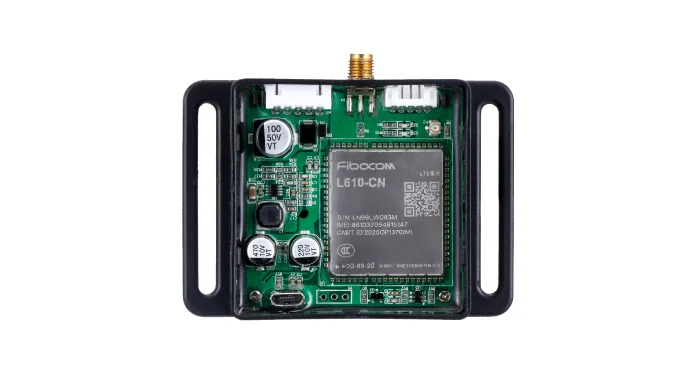
Vending telemetry

Vending machine telemetry for your own backend.

Use QuLink when a vending fleet needs vend results, fault alerts, stock events, heartbeat, and device status in your own dashboard or data pipeline.

Vend resultFault alertsHeartbeatOwn backend
Vending machine telemetry and data upload hardware

Project fit

For operators, payment apps, and data platforms

Buyer signals

  • Vending fleets that need vend and fault visibility.
  • Teams that want data in their own backend, not a closed portal.
  • Payment apps that need vend result and reconciliation data.
  • OEMs that need a telemetry profile for exported machines.

What to send first

  • Machine photo or existing board photo
  • Interface or wiring note if available
  • Target action after API command or payment
  • Whether telemetry or data upload is required

Not the right fit if

  • You only need a pure payment acquiring account and no machine-side control.
  • There is no physical machine action after payment, booking, or API approval.
  • The project has no machine photo, board photo, wiring note, or interface clue yet.

Integration model

Machine events become usable data

QuLink collects the events available from the machine interface and sends them to your server by webhook, HTTP, or MQTT, depending on the project.

Event sources
MDB cashless, vending controller, relay, serial, or sensor input
Core events
vend.result, payment reference, fault, heartbeat, online/offline
Optional events
slot status, inventory event, temperature, door, or usage log
Transport
HTTPS webhook, HTTP API, or MQTT (project-dependent)
Project mode
fleet dashboard, reconciliation, fault monitoring, OEM telemetry

Workflow

From machine interface to API-controlled result.

Choose events

Define the minimum events needed for operations, reconciliation, and alerts.

Map machine signals

Confirm which events are available from MDB, serial, or sensors.

Define payloads

Agree on event names, device ID, timestamps, retries, and idempotency.

Test and monitor

Verify event delivery, duplicate handling, offline buffering, and dashboard alerts.

API example

A clear server command or webhook for the machine-side action.

The exact command fields depend on machine interface, firmware profile, and whether payment or your own app triggers the action.

POST https://your-server.example/webhooks/qulink
{
  "event": "vend.result",
  "device_id": "VEND-208",
  "result": "success",
  "slot": "B12",
  "reference_id": "ORDER-208"
}

Project RFQ

Send a machine photo. We help identify the board, interface, and next test step.

Send the machine model, available events, current controller or payment module, target dashboard, and rollout quantity.

A good first message

If you are unsure about the exact interface, send what you have. Photos often answer more than a long spec.

  • Machine type and target country
  • Machine photo, board photo, or wiring photo
  • Action after payment or API command
  • Need data upload? expected quantity?
Fastest first step
  • Send a machine photo
  • Describe the action after API or payment
  • Tell us if data upload is needed
Project checklist

Tip: include machine type, target action after payment/API, photo availability, and expected quantity. We usually reply within 24 hours.

Have machine or board photos? Send them on WhatsApp — we usually review photos there first.

FAQ

Questions buyers usually ask before a sample test.

Can we send data to our own cloud?

Yes. QuLink is designed to connect machine-side hardware to your backend rather than lock data into a closed portal.

Is DEX data supported?

DEX support depends on the machine controller and project scope. Send the controller details so we can confirm availability.

How often is data sent?

Event frequency and heartbeat interval are defined per project and can be adjusted for connectivity and cost.

Can telemetry be combined with control?

Yes. Many projects combine vend or relay control with telemetry and fault alerts.

WhatsApp photo Send details