Event schema
Stable event names, device ID, timestamps, payment reference, slot, and result fields.
Vending telemetry integration
Send vending telemetry to your own backend by defining an event schema, choosing HTTPS webhook, HTTP API, or MQTT, adding device identity and retries, and testing one machine. QuLink can collect available machine-side data, but the backend, retention, and alert ownership stay with your team; field availability is confirmed on a sample.
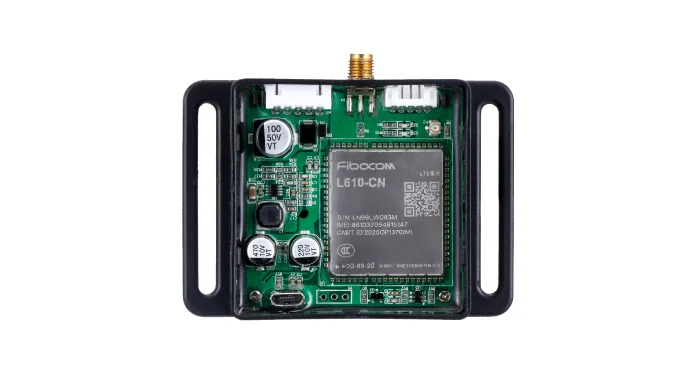
Part of Machine Data Upload IoT Board for Self-Service Equipment
Integration parts
A reliable data path is more than a board. Define the payload, transport, failure behavior, and operational owner before the pilot.
Stable event names, device ID, timestamps, payment reference, slot, and result fields.
HTTPS webhook, HTTP API, or MQTT depending on your platform and network policy.
Retries, offline buffering, duplicate handling, idempotency, and reconnect behavior.
TLS, device credentials, access control, rotation, and monitoring of failed deliveries.
Before you connect
Define a stable device ID, site ID, and machine mapping that your backend can trust.
Agree on required fields, time zone, event ordering, and optional fields per machine type.
Confirm 4G coverage, data plan, APN, roaming policy, and whether local network fallback exists.
Prepare the endpoint, authentication, idempotency key, retention, and alert routing.
Pilot flow
Start with heartbeat, vend result, and one fault event rather than every possible field.
Select webhook, HTTP API, or MQTT and agree on authentication and payload shape.
Define offline buffering, duplicate handling, backoff, and the timeout for each event.
Verify delivery, reconnect, duplicate events, alert routing, and data retention.
Where QuLink fits
Transport and data
FAQ
It depends on your platform and network policy. Send the endpoint or broker, topic design, authentication, and expected event volume so the transport can be scoped.
The project can define buffering and retry behavior, but availability depends on the hardware profile and storage. This is confirmed in the sample.
Use a stable event ID and an idempotency rule in your backend. Retry behavior and duplicate handling are defined during integration.
TLS and device credentials can be included where the board and firmware profile support them. The exact options are confirmed per project.
Test one machine with heartbeat, one vend event, and one failure or reconnect case before adding more event types.
Project RFQ
Send the machine model, available data points, target endpoint or broker, event examples, and the failure behavior you need.
If you are unsure about the exact interface, send what you have. Photos often answer more than a long spec.
Related use cases