Device health
Heartbeat, last-seen time, online/offline status, power, or network state where the hardware exposes it.
Vending machine data
A vending machine can report heartbeat, vend result, faults, usage, and optional sensor data only when the controller or interface exposes those signals. MDB, serial/RS485, relay, pulse, and sensors provide different data, and inventory or sales detail is not guaranteed. Confirm the available fields on a sample.
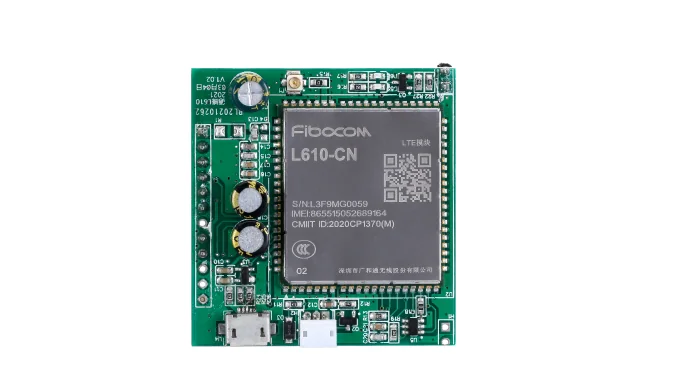
Part of Machine Data Upload IoT Board for Self-Service Equipment
Data layers
Start with the operational decision you need to make. The machine interface determines which layer can be collected reliably.
Heartbeat, last-seen time, online/offline status, power, or network state where the hardware exposes it.
Vend success, failure, timeout, slot or product, amount, payment reference, and timestamp when the controller provides them.
Faults, door state, temperature, jam, reader drop, or controller alarms when the machine provides the signal.
Pulse counts, meter values, sensor data, or stock events when available from the controller or added sensors.
Before you connect
Confirm whether the machine exposes MDB events, serial/RS485 frames, relay state, pulse counts, or sensor inputs. Available data differs by interface.
Define what counts as vend success, failure, timeout, device ID, slot, payment reference, and timestamp.
Check 4G coverage, SIM policy, antenna placement, local network availability, and offline behavior.
Decide where the data goes, who owns the schema, how long it is retained, and who receives alerts.
Data path
Start with the operational questions you need to answer, not with every possible data point.
Confirm which events or values are actually available from the controller, payment module, or sensors.
Agree on event names, field types, timestamps, device identity, retries, and idempotency.
Verify normal events, offline behavior, duplicate handling, reconnect, and alert delivery.
Where QuLink fits
Interfaces and limits
FAQ
No. The available data depends on the controller, payment module, and interface. A machine may report vend events but not product-level inventory.
MDB can expose cashless and vend-related events when the controller supports them. The exact fields, timing, and failure behavior are confirmed on a sample.
Only when the controller, planogram, or added sensors provide a stock signal. Do not assume inventory data is available from MDB alone.
Yes. QuLink can send events to your API or dashboard; field names, transport, frequency, and retries are defined per project.
Often no. If the controller exposes usable events or a supported interface, the project can start with a data bridge or MDB gateway and a sample test.
Project RFQ
Send the vending machine model, controller photos, available events or data points, and the decisions you need the data to support.
If you are unsure about the exact interface, send what you have. Photos often answer more than a long spec.
Related use cases