Keep the controller, add an API gateway
Your server needs vend commands, MDB events, and machine status without replacing the vending controller.
MDB gateway selection
Choose an MDB gateway by the controller path, payment ownership, data needs, and backend ownership, not by board price alone. Confirm MDB 4.2/4.3 or the actual controller version, define the vend action and result, and validate one machine before rollout. QuLink is machine-side hardware, not a payment acquirer, and compatibility is confirmed on a sample.
Part of MDB Vending Machine API Gateway
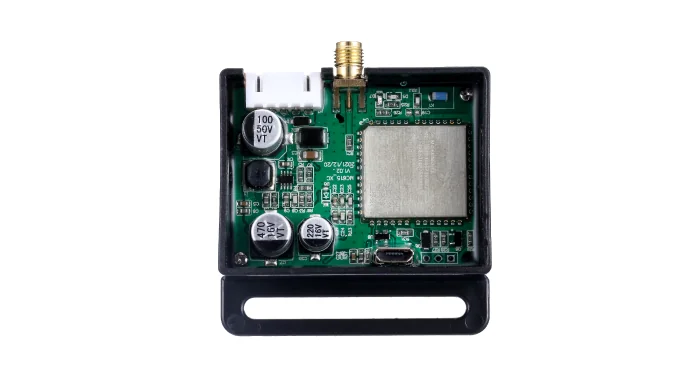
Key facts
MDB 4.2/4.3 is the target cashless path; older or custom behavior needs review.
Decide whether QuLink QR payment or your own reader, PSP, or wallet authorizes the vend.
Heartbeat, vend result, faults, and telemetry are possible when exposed; inventory is not guaranteed.
Validate one machine before a fleet; do not choose a gateway from a model name alone.
Pending sample: exact MDB timing, vend mapping, timeout, and result behavior are confirmed on the actual machine.
Starting points
Start with what the machine already has: a controller, a reader, a backend, or a data requirement.
Your server needs vend commands, MDB events, and machine status without replacing the vending controller.
The existing reader or PSP stays; QuLink adds an independent machine-side control or data path where supported.
You need heartbeat, vend result, faults, or usage without changing the payment authorization path.
Older MDB versions, custom firmware, or unusual controllers need a firmware review and real-machine sample.
Gateway vs board vs reader
The label matters less than the job. A gateway, cashless board, reader, and data bridge solve different problems.
| Option | Best for | What it does | What to confirm |
|---|---|---|---|
| MDB gateway | API or server control plus MDB events. | Maps commands and events between your backend and the vending controller. | MDB version, cashless path, event schema, and result mapping. |
| MDB cashless board | Payment authorization inside an existing machine. | Sends the cashless authorization; the controller decides whether to dispense. | Reader or PSP, authorization flow, and vend result. |
| Card reader replacement | A reader or network problem only. | Approval happens at the reader; may not add independent machine data. | Reader support, payment host, and contract. |
| Data bridge only | Telemetry without changing payment. | Reads status, faults, or usage without authorizing a vend. | Available interface, poll rate, and fields. |
One project may combine roles. Select by the job you need, then confirm the exact profile on a sample.
Selection checks
Confirm the controller's MDB version and whether the cashless path is available. MDB 4.2/4.3 is the target profile; older versions need review.
Decide whether QuLink QR payment, an existing reader, your PSP, or a wallet callback authorizes the vend.
Define product or slot, amount, payment reference, timeout, vend result, and what happens after a failure.
Confirm heartbeat, fault, telemetry, dashboard, retention, and who owns the backend and alerts.
Sample path
Machine front, controller label, MDB harness, connector, reader, and model plate.
Write one sentence: what should the gateway authorize, trigger, or report?
Confirm MDB version, cashless path, command shape, result fields, and failure behavior.
Validate authorization, dispense, result or timeout, reconnect, and data delivery before rollout.
Where QuLink fits
Interface and data
FAQ
No. A reader approves payment; an MDB gateway maps server commands or payment approval to the controller's MDB cashless path and can return machine events.
Not always. A gateway is useful when you need API control, an independent data path, telemetry, or a result callback that the current reader does not provide.
Yes. Your PSP, wallet, or app can confirm payment first, then call the machine-side command or callback. QuLink is not the acquirer.
Heartbeat, vend result, timeout, fault, device status, and telemetry when the controller exposes them. Product-level inventory is not guaranteed.
Machine model, controller and MDB photos, reader or PSP details, target action, required data, and expected quantity.
Project RFQ
Send the machine model, controller and MDB harness photos, current reader or PSP, target action, data requirement, and expected quantity.
If you are unsure about the exact interface, send what you have. Photos often answer more than a long spec.
Related use cases