Keep the existing controller
The machine already has an MDB cashless path. Add a machine-side board only for authorization, data, or result handling.
MDB vending integration
Use this guide when an existing vending machine needs cashless payment, API control, or data upload over MDB. Confirm the controller's MDB version and cashless path, define the vend and result behavior, then test one machine. MDB 4.2/4.3 is the target profile; older versions and custom behavior require review and sample validation.
Part of MDB Vending Machine API Gateway
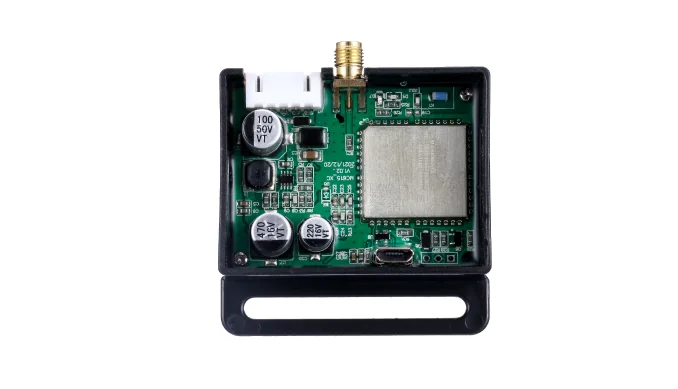
MDB paths
Start with the controller and the payment path already in the machine. The correct board depends on the MDB behavior you need to control or observe.
The machine already has an MDB cashless path. Add a machine-side board only for authorization, data, or result handling.
Your server needs vend commands, MDB events, and telemetry. The board maps API commands to MDB behavior.
You need heartbeat, vend result, faults, or usage data without changing the existing payment path.
Older MDB versions or custom cashless behavior need a firmware review and a real-machine sample.
Before you choose
Confirm the controller's MDB version and whether the cashless path is available for the project. MDB 4.2/4.3 is the target profile; older versions need review.
Define product/slot, price, vend authorization, timeout, and what counts as a successful dispense.
Confirm whether the controller reports vend success, failure, or fault events, and how the backend should handle a timeout.
Check the MDB harness, power, reader or payment host, and SIM/network requirements before the sample.
Sample flow
Machine front, controller, MDB harness, payment module, model label, and connectors.
Identify the controller version, cashless path, and the action to trigger.
Validate authorization, dispense, result, timeout, and failure behavior.
Lock firmware, wiring, event schema, and installation notes before the fleet.
Where QuLink fits
Interfaces and data
FAQ
MDB is the multi-drop bus interface used by many vending controllers and cashless devices. It carries cashless authorization and machine events; the exact behavior depends on the controller and MDB version.
Often yes when the controller has a compatible MDB cashless path. The sample test confirms wiring, authorization, vend behavior, and result reporting.
No. MDB can provide richer events when supported, but pulse or relay may be the practical path for older or simpler machines.
QuLink can provide an optional QR payment workflow, but it is not a bank or acquirer. You can keep your own reader, PSP, or wallet and use QuLink for the machine-side action.
Machine model, controller and MDB photos, payment module, target vend action, and the data you need back.
Project RFQ
Send the vending machine model, controller and MDB photos, current payment module, target action, and expected data so we can scope the sample.
If you are unsure about the exact interface, send what you have. Photos often answer more than a long spec.
Related use cases