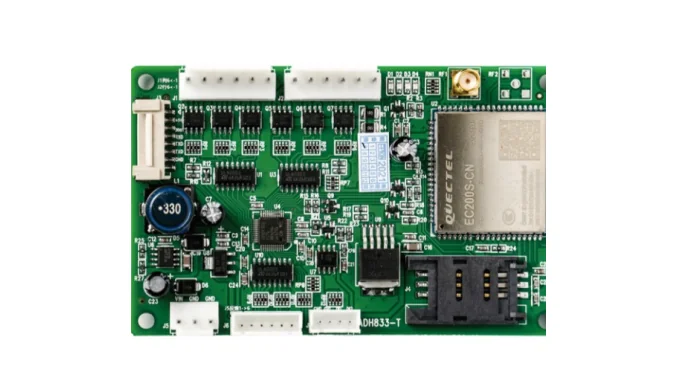
Illustrative project example

Vending QR payment retrofit: an illustrative project profile.

This example shows how a typical MDB vending retrofit could be scoped. It uses illustrative data, not a real customer case, performance claim, or guaranteed result.

Illustrative exampleMDB retrofitQR callbackVend result
Illustrative vending machine QR payment retrofit project

Project fit

What this example demonstrates

Buyer signals

  • How a mixed MDB vending fleet can be scoped before a sample.
  • How a payment callback maps to vend authorization and slot dispense.
  • Which data fields are useful for reconciliation and fault handling.
  • How a sample test can be separated from a phased rollout.

What to send first

  • Machine photo or existing board photo
  • Interface or wiring note if available
  • Target action after API command or payment
  • Whether telemetry or data upload is required

Not the right fit if

  • You need a guaranteed result or price without a machine check.
  • You have no machine, controller, or wiring information.
  • You need a certified turnkey electrical installation.

Integration model

From QR callback to vend result

The operator keeps its payment provider and backend. The QuLink board handles the machine-side MDB or relay action, then reports the vend result and fault events.

Market
Malaysia (illustrative)
Fleet
60 vending machines (illustrative)
Machine interface
MDB cashless path with relay fallback
Payment
DuitNow QR callback through the operator's provider
Machine action
vend authorization and slot dispense
Data
payment reference, vend result, fault, heartbeat

Workflow

From machine interface to API-controlled result.

1. Photo audit

Collect machine, controller, payment module, and wiring photos from a representative sample.

2. Interface map

Confirm MDB cashless behavior, fallback path, slot mapping, and required signals.

3. Payment callback

Connect the provider callback to the QuLink command API with timeout and retry rules.

4. Sample test

Test two machines: payment, vend, failure, timeout, and result upload.

5. Pilot

Run a small pilot group and review reconciliation, faults, and installation feedback.

6. Rollout

Prepare firmware profile, spare units, installation checklist, and support process.

API example

A clear server command or webhook for the machine-side action.

The exact command fields depend on machine interface, firmware profile, and whether payment or your own app triggers the action.

POST /v1/devices/VEND-MY-18/commands
{
  "command": "dispense",
  "source": "duitnow_callback",
  "reference_id": "MY-ORDER-2026-018",
  "machine_action": {
    "interface": "mdb_cashless",
    "slot": "B04"
  }
}

Project RFQ

Send a machine photo. We help identify the board, interface, and next test step.

Use this example as a planning reference, then send your machine photos for a real interface check and sample path.

A good first message

If you are unsure about the exact interface, send what you have. Photos often answer more than a long spec.

  • Machine type and target country
  • Machine photo, board photo, or wiring photo
  • Action after payment or API command
  • Need data upload? expected quantity?
Fastest first step
  • Send a machine photo
  • Describe the action after API or payment
  • Tell us if data upload is needed
Project checklist

Tip: include machine type, target action after payment/API, photo availability, and expected quantity. We usually reply within 24 hours.

Have machine or board photos? Send them on WhatsApp — we usually review photos there first.

FAQ

Questions buyers usually ask before a sample test.

Is this a real customer case?

No. It is an illustrative project profile created to show a typical integration path. It is not a customer claim, performance guarantee, or deployment reference.

Can the same path work for our machines?

The overall path is common, but the board, wiring, firmware, and payment callback must be confirmed on a real machine.

Which parts are most likely to change?

The machine interface, payment provider, data fields, and rollout scope are the most common variables.

Can we use our own payment provider?

Yes. Your provider can confirm payment first, then call the QuLink command API for the machine-side action.

WhatsApp photo Send details